
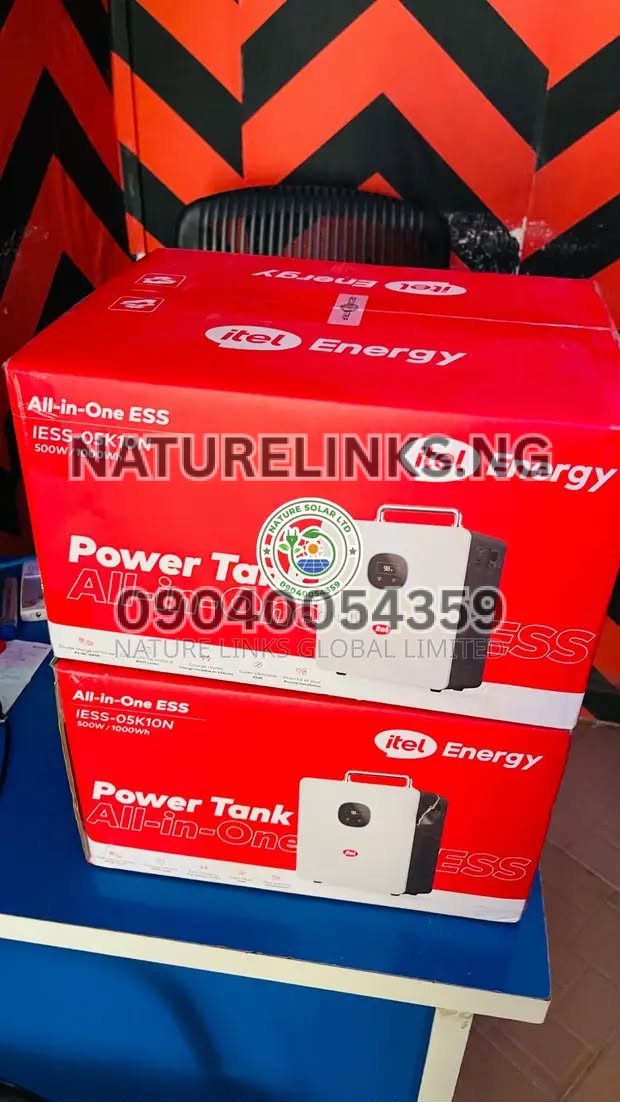
Can Itel Power Tank 500W power a desktop computer? Yes, the Itel Power Tank 500W can power many desktop computers, provided the computer’s actual power consumption, together with the monitor and any other connected equipment, stays within the Power Tank’s rated output. The commonly listed Itel Power Tank IESS-05K10N has a 500W continuous pure-sine-wave AC output and a 1,000Wh/1kWh LiFePO₄ battery.
For Nigerians dealing with frequent power interruptions, the ability to keep a desktop computer running can be important for working from home, online businesses, POS operations, graphic design, programming, cybersecurity training, office work, internet services and other computer-based activities.
The most important point is that 500W refers to the inverter’s continuous power output, while 1,000Wh refers to the amount of energy stored in the battery. These are different measurements. A desktop computer consuming 200W does not require a 1,000W inverter simply because the Power Tank has a 1,000Wh battery.
Can Itel Power Tank 500W Power a Desktop Computer?
Yes, in many cases.
The commonly listed Itel Power Tank 500W/1kWh configuration is specifically marketed for compatible office equipment, including desktop computers. Its 500W continuous pure-sine-wave inverter provides AC electricity suitable for many electronic devices.
However, whether your particular desktop computer will work depends on its actual running wattage.
For example:
- Desktop computer: 150W
- Monitor: 40W
- Wi-Fi router: 10W
- Small LED lamp: 10W
Total estimated load:
150W + 40W + 10W + 10W = 210W
A 210W combined load is comfortably below a 500W continuous inverter rating.
On the other hand:
- Gaming desktop: 350W
- Large monitor: 80W
- Speakers: 30W
- Router: 15W
Total:
475W
That is already very close to the 500W continuous limit, leaving little practical headroom.
Therefore, always check the actual power consumption of your computer before purchase.
“Can Itel Power Tank 500W Power a Desktop Computer?”
The answer to “Can Itel Power Tank 500W power a desktop computer?” depends mainly on the desktop’s power consumption.
A standard office desktop may consume considerably less power than its power-supply-unit rating. A computer with a 500W or 650W PSU does not automatically consume 500W or 650W continuously.
For example, a desktop may have a 500W-rated PSU while its actual workload consumption is much lower.
This distinction is important when choosing an Itel Power Tank.
A Nigerian energy-efficiency reference used a 200W desktop computer as a load example, while general equipment references place many desktop computers in a broad range depending on configuration.
The safest approach is to measure your actual computer’s consumption or check its manufacturer’s specifications.
What Desktop Computers Can Itel Power Tank 500W Run?
The 500W Power Tank is more suitable for ordinary office and productivity desktops than very high-power gaming or workstation computers.
It can potentially support:
- Office desktop computers
- Business desktops
- Small-form-factor PCs
- Basic home computers
- Internet café computers with suitable wattage
- Programming computers
- Accounting computers
- Library computers
- POS/office systems
- Low-power workstations
- Desktop computers used for browsing
- Computers used for Microsoft Office
- Basic graphics computers, subject to actual power consumption
The key requirement is that the combined load remains within the Power Tank’s continuous output rating.
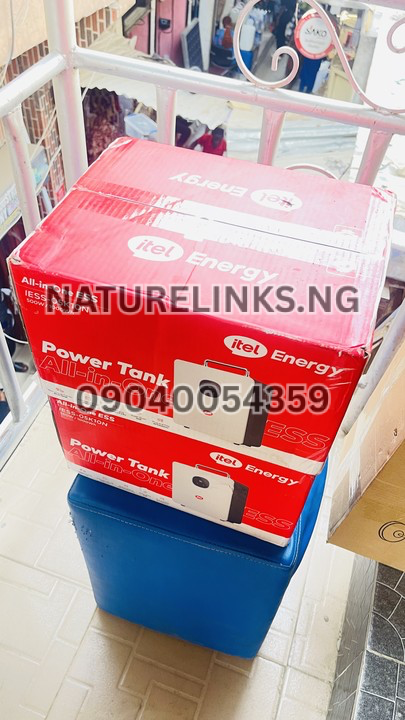
Can Itel Power Tank 500W Power a Gaming PC?
It may, but this requires much more careful checking.
Gaming computers can consume substantially more electricity than basic office computers, particularly when equipped with dedicated graphics cards.
A gaming PC might include:
- High-performance CPU
- Dedicated GPU
- Multiple cooling fans
- RGB lighting
- Multiple monitors
- High-power PSU
- External speakers
The computer may therefore approach or exceed the Power Tank’s 500W continuous output during demanding gaming sessions.
If the PC, monitor and accessories collectively exceed the Power Tank’s output capacity, the system can trigger overload protection or fail to operate correctly.
For a gaming PC, measure the actual wall-side power consumption before deciding.
Can Itel Power Tank Power a Desktop and Monitor Together?
Yes, provided the combined wattage remains below the Power Tank’s output limit.
For example:
Desktop: 180W
Monitor: 45W
Router: 10W
Total: 235W
A 235W load is below 500W.
This is one of the practical advantages of the 1kWh Power Tank for a Nigerian work-from-home setup.
The user can potentially run:
- Desktop
- Monitor
- Router
- LED lamp
- Phone charger
provided the total load stays comfortably below the rated output.
How Many Watts Does a Desktop Computer Use?
There is no single wattage for every desktop computer.
Power consumption depends on:
- Processor
- Graphics card
- Number of hard drives
- SSDs
- Cooling fans
- Monitor
- USB devices
- Speakers
- Workload
- Gaming intensity
- Computer age
- Power-supply efficiency
An older or basic office desktop may consume considerably less than a powerful gaming workstation.
One Nigerian energy-planning reference lists a desktop computer at 200W as a load-planning example.
Another equipment reference gives a broad desktop-computer range of approximately 80–250W, with a typical 21-inch monitor listed separately at approximately 40–80W. Actual consumption varies significantly by hardware and workload.
Therefore, buyers should not determine compatibility solely from the wattage printed on the computer’s power supply.
What Does 500W Mean on Itel Power Tank?
The 500W specification refers to the Power Tank’s rated continuous AC output.
This means the inverter is designed to supply up to approximately 500W continuously under the applicable operating conditions.
The commonly listed IESS-05K10N specification also identifies up to 600VA apparent output, while other listings describe configuration-dependent surge capability.
For safe everyday operation, users should avoid deliberately operating continuously at the absolute maximum.
A practical setup should leave some headroom for changes in load and startup demands.

What Does 1000Wh Mean on Itel Power Tank?
The 1,000Wh or 1kWh specification refers to the battery’s stored energy capacity.
It does not mean the Power Tank can continuously power a 1,000W appliance.
Think about it this way:
Watts (W) = how much power an appliance needs right now.
Watt-hours (Wh) = how much energy the battery stores.
So:
- 500W = inverter output capability
- 1,000Wh = battery energy capacity
This distinction is essential when searching for Itel Power Tank 500W for desktop computer use.
How Long Can Itel Power Tank 500W Run a Desktop Computer?
Runtime depends on the computer’s actual power consumption.
The theoretical calculation is:
Runtime = Battery Capacity ÷ Load
For a 1,000Wh battery:
| Combined Load | Theoretical Runtime |
|---|---|
| 50W | 20 hours |
| 100W | 10 hours |
| 150W | 6.7 hours |
| 200W | 5 hours |
| 250W | 4 hours |
| 300W | 3.3 hours |
| 400W | 2.5 hours |
| 500W | 2 hours |
These are theoretical figures. Real AC runtime will be lower because of inverter conversion losses, battery-management limits, battery condition and other operating factors.
How Long Can Itel Power Tank Run a 200W Desktop?
If the desktop and monitor together consume approximately 200W, the simple theoretical calculation is:
1,000Wh ÷ 200W = 5 hours
Actual runtime will be lower than five hours because the battery’s nominal capacity is not the same as usable AC output energy.
If the complete computer setup consumes 230W, for example:
1,000Wh ÷ 230W ≈ 4.35 hours
Again, actual runtime will depend on the system’s efficiency and operating conditions.
How Long Can Itel Power Tank Run a 300W Desktop?
For an estimated 300W combined load:
1,000Wh ÷ 300W ≈ 3.33 hours
Real-world operation will be shorter than this theoretical calculation.
If your computer uses 300W during demanding work and the monitor adds another 50W, the total becomes approximately 350W.
That changes the theoretical calculation to:
1,000Wh ÷ 350W ≈ 2.86 hours
This demonstrates why measuring the complete computer setup is more useful than looking only at the computer tower.
Can Itel Power Tank Power a Desktop Computer During NEPA/PHCN Outage?
Yes, it can serve as backup power for a compatible desktop computer during a grid outage.
The commonly listed IESS-05K10N supports UPS functionality with a published switching time of less than 20ms.
This can be useful for:
- Office workers
- Freelancers
- Online workers
- Programmers
- Students
- Cybersecurity learners
- Graphic designers
- Digital marketers
- Small businesses
- POS operators
- Home offices
However, users should test their specific computer and monitor combination to verify how it behaves during power transfer.
Is Itel Power Tank Good for Work From Home?
The 500W/1kWh configuration can be useful for low-to-moderate-power work-from-home setups.
A typical setup could include:
- Desktop computer
- Monitor
- Wi-Fi router
- Phone charger
- LED desk lamp
If the total load remains comfortably below 500W, the Power Tank can provide backup electricity without requiring a petrol generator.
The pure-sine-wave output is also designed for compatible electronic equipment.
Can Itel Power Tank Run a Desktop Computer and Router?
Yes, provided the total load remains within the inverter’s rating.
For example:
Desktop: 180W
Monitor: 45W
Router: 10W
Total:
235W
This is well below 500W.
The router itself uses relatively little electricity compared with the desktop, so the computer is normally the major load in this type of setup.
Can Itel Power Tank Run Desktop, Monitor, Fan and Router?
It can potentially run this combination if the combined load is below the Power Tank’s output limit.
Example:
- Desktop = 180W
- Monitor = 45W
- Fan = 50W
- Router = 10W
Total = 285W
A 285W load is below the 500W continuous inverter rating.
However, actual appliance consumption should be measured rather than assumed.
Can Itel Power Tank Run Two Desktop Computers?
Possibly, depending on the computers.
For example:
- Desktop 1 = 120W
- Desktop 2 = 120W
- Monitor 1 = 40W
- Monitor 2 = 40W
- Router = 10W
Total:
330W
This would be below 500W.
But two high-performance desktop computers could easily approach or exceed the inverter’s limit.
If you plan to run multiple computers, calculate the maximum combined load, not just the average consumption.

Can Itel Power Tank Run a Desktop and Printer?
This depends on the printer.
An ordinary low-power office printer may be manageable, but laser printers can have relatively high instantaneous power requirements during heating and printing.
Therefore, do not assume that every printer is compatible.
Check the printer’s input-power specification and startup requirement.
If the desktop, monitor and printer together exceed the Power Tank’s output capability, the combination should not be used.
Can Itel Power Tank Power a Desktop Computer for Gaming?
The answer depends on the gaming computer.
A low-power gaming PC may operate within the 500W limit.
A high-end gaming PC with a powerful graphics card may not.
For gaming, check:
- Desktop actual wall power
- Monitor wattage
- Speakers
- RGB accessories
- USB peripherals
- Peak GPU/CPU load
Do not use the PSU rating alone to determine compatibility.
Can Itel Power Tank Power a Desktop Computer for Graphic Design?
Potentially, yes.
The important issue is the hardware inside the computer.
Basic graphic-design computers may consume moderate power, while professional workstations with powerful GPUs can consume much more.
A desktop used for:
- Photoshop
- Illustrator
- CorelDRAW
- Canva
- Web design
- Office work
may have a substantially different consumption profile from a workstation used for 3D rendering or intensive video production.
Measure actual consumption where possible.
Can Itel Power Tank Power a Desktop Computer for Programming?
Yes, provided the computer and peripherals remain within the 500W output rating.
Programming setups often include:
- Desktop
- One or two monitors
- Router
- Keyboard
- Mouse
- Speakers
A single ordinary desktop with one monitor can potentially fit comfortably within the Power Tank’s output range.
Multiple large monitors and high-performance development workstations require additional calculation.
Can Itel Power Tank Power a Desktop Computer for Cybersecurity Work?
Yes, if the computer’s actual consumption remains within the Power Tank’s output rating.
However, cybersecurity labs can involve virtualization.
Running multiple virtual machines may significantly increase CPU usage and therefore power consumption.
A desktop used for:
- Linux
- Windows
- VirtualBox
- VMware
- Networking labs
- Programming
- Browser-based security platforms
should be checked under the actual workload you expect to use.
A computer that consumes 150W during light browsing may consume substantially more when running several virtual machines simultaneously.
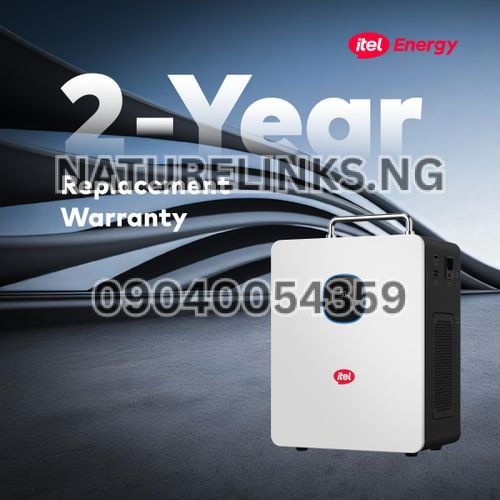
Is the Itel Power Tank 500W Safe for a Desktop Computer?
The commonly listed IESS-05K10N uses a pure-sine-wave inverter, which is appropriate for many electronic devices when operated within its specifications. It also includes protections such as overload, short-circuit and over-temperature protection.
However, no power station should be overloaded.
Users should:
- Keep the total load below the rated output
- Avoid damaged power cables
- Use appropriate sockets and extension equipment
- Avoid exceeding the manufacturer’s limits
- Keep ventilation openings unobstructed
- Follow the manufacturer’s instructions
Does the Itel Power Tank 500W Have UPS Function?
Compatible IESS-05K10N configurations are listed with UPS functionality and a switching time of less than 20ms.
This can be valuable for desktop computers because unexpected shutdowns can cause:
- Loss of unsaved work
- Interrupted downloads
- Corrupted files
- Interrupted software installations
- Disrupted online meetings
- Interrupted business transactions
Nevertheless, users should test their particular desktop setup if uninterrupted operation during changeover is critical.
Itel Power Tank 500W Desktop Computer Compatibility
The easiest way to determine compatibility is to calculate the total load.
Example 1: Basic Office Computer
Desktop: 120W
Monitor: 40W
Router: 10W
Total = 170W
This is comfortably below 500W.
Example 2: Standard Office Computer
Desktop: 180W
Monitor: 50W
Router: 10W
Desk lamp: 10W
Total = 250W
This is below 500W.
Example 3: Gaming Setup
Desktop: 350W
Monitor: 80W
Speakers: 30W
Router: 10W
Total = 470W
This is very close to the rated continuous output and leaves little headroom.
Example 4: High-Power Workstation
Desktop: 450W
Monitor: 80W
Total = 530W
This exceeds the 500W continuous rating and is therefore unsuitable as a combined load.
How to Check Your Desktop Computer’s Wattage
The easiest methods include:
Check the Manufacturer’s Specifications
Look up your computer model and power-consumption information.
Check the Power Supply Unit
The PSU rating provides useful information but does not necessarily equal actual electricity consumption.
Use a Plug-In Power Meter
A wall power meter can measure the actual electricity drawn by the complete computer setup.
Check Different Workloads
Measure consumption while:
- Idle
- Browsing
- Watching videos
- Working
- Gaming
- Rendering
- Running virtual machines
This gives a more realistic understanding of your power requirements.
Desktop Computer PSU Rating vs Actual Power Consumption
This is a common source of confusion.
Suppose a computer has a 650W power supply.
That does not necessarily mean the computer consumes 650W all the time.
The 650W figure represents the PSU’s capacity.
If the actual computer load is 180W, the Power Tank only needs to supply power for the actual load plus conversion and other system losses.
Therefore, a desktop with a 500W or 650W PSU may still work on a 500W Power Tank if its actual operating consumption is sufficiently below the Power Tank’s output limit.
But this should be verified rather than assumed.
Itel Power Tank 500W Runtime for Desktop Computer
The following estimates illustrate how battery runtime changes:
| Desktop Setup Load | Theoretical 1kWh Runtime |
|---|---|
| 100W | 10 hours |
| 150W | 6.7 hours |
| 200W | 5 hours |
| 250W | 4 hours |
| 300W | 3.3 hours |
| 350W | 2.9 hours |
| 400W | 2.5 hours |
| 450W | 2.2 hours |
Actual runtime will be lower than the theoretical figures.
For example, if your complete desktop setup consumes around 200W, do not expect precisely five hours of usable AC runtime every time.

Does Monitor Size Affect Itel Power Tank Runtime?
Yes.
A monitor adds to the total load.
A small energy-efficient monitor may consume relatively little power, while a large high-refresh-rate gaming monitor may consume considerably more.
If your desktop uses 180W and monitor uses 60W:
180W + 60W = 240W
The Power Tank therefore needs to supply approximately 240W before accounting for the router, speakers or other accessories.
Can Itel Power Tank Run a Desktop Computer Overnight?
It depends on the computer’s total power consumption.
For example, a desktop setup drawing approximately 100W has a theoretical 10-hour energy requirement from a 1,000Wh battery.
But an actual desktop running continuously overnight can consume more depending on:
- CPU workload
- Monitor
- Graphics card
- Storage
- Fans
- USB equipment
- Network devices
For overnight operation, reducing unnecessary loads and using sleep or low-power modes can extend runtime.
How to Increase Desktop Runtime on Itel Power Tank
You can improve runtime by reducing unnecessary consumption.
Reduce Monitor Brightness
Lower brightness can reduce monitor energy consumption.
Use Sleep Mode
Configure the computer to sleep during periods of inactivity.
Disconnect Unused USB Devices
External hard drives, speakers and other accessories consume power.
Turn Off RGB Lighting
RGB lighting is not essential and adds to the load.
Use an Efficient Monitor
Energy-efficient monitors can reduce total consumption.
Close Unnecessary Applications
Reducing CPU/GPU activity can lower power consumption.
Avoid Gaming During Long Outages
Heavy GPU workloads can significantly increase power consumption.
Can Itel Power Tank Charge a Desktop UPS?
It may be possible, but it is generally better to assess whether the desktop can be connected directly to the Power Tank’s AC output rather than unnecessarily chaining power systems.
A desktop UPS itself consumes some energy and may introduce additional conversion losses.
If the Itel Power Tank has compatible UPS functionality, users should follow the manufacturer’s recommended configuration.
Itel Power Tank 500W vs Traditional UPS for Desktop Computer
| Feature | Itel Power Tank 500W | Traditional UPS |
|---|---|---|
| Battery capacity | 1,000Wh on listed model | Usually much smaller |
| Pure sine wave | Yes on listed configuration | Depends on model |
| Solar charging | Yes | Usually no |
| AC charging | Yes | Yes |
| Portable | Yes | Usually |
| Long blackout backup | More suitable | Often limited |
| Fuel required | No | No |
| Desktop backup | Yes, within rating | Yes |
| Battery energy storage | High on 1kWh model | Usually lower |
For long Nigerian power outages, a 1kWh portable power station can provide substantially more stored energy than many small desktop UPS units.

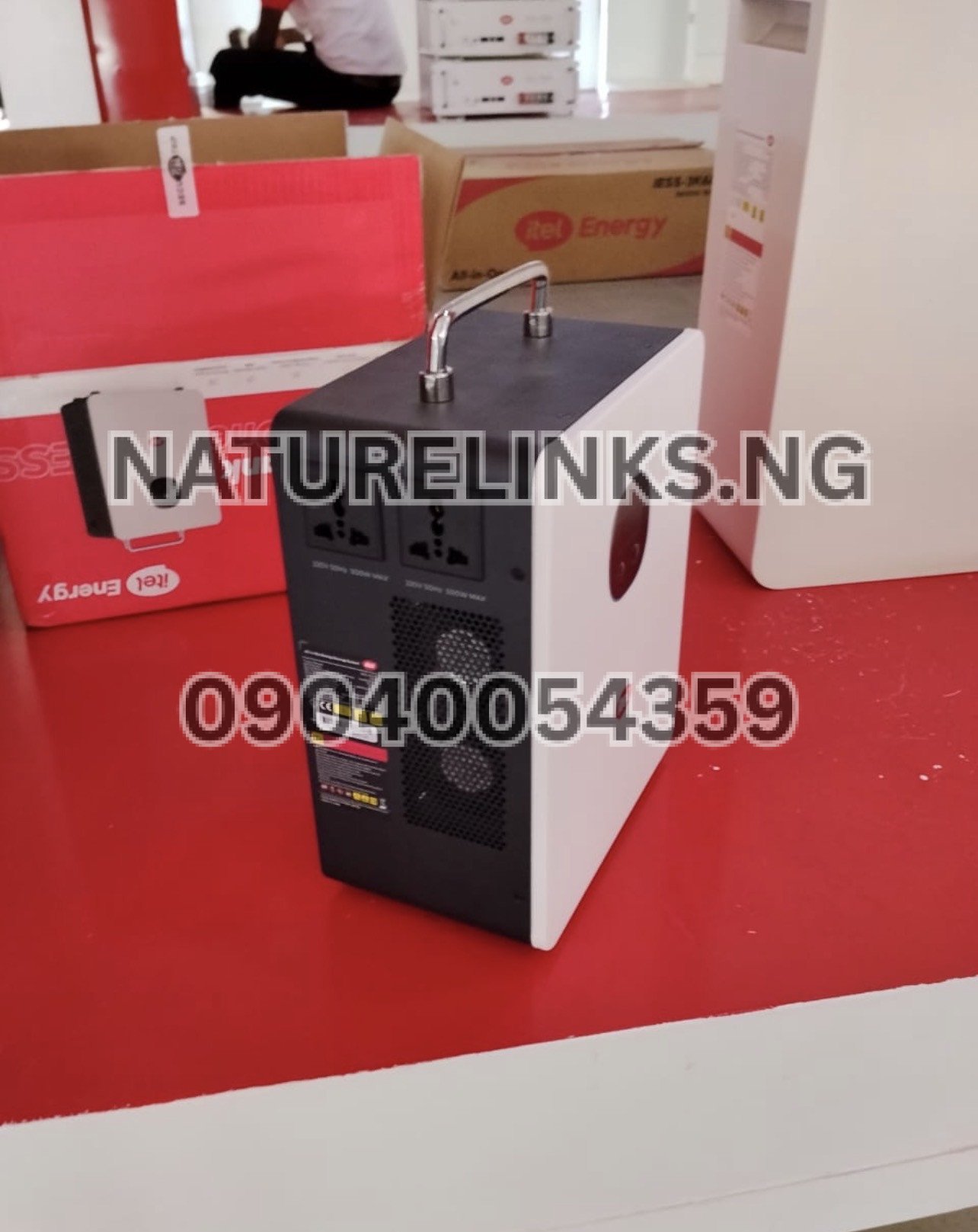
Itel Power Tank 500W Key Features
The commonly listed IESS-05K10N includes:
- 500W continuous pure-sine-wave inverter
- 1,000Wh / 1kWh LiFePO₄ battery
- Up to 600VA apparent output on documented configuration
- Built-in MPPT solar charge controller
- Up to 400W PV input on documented configuration
- 11–60V MPPT voltage range
- 90–280VAC AC input range
- UPS switching of less than 20ms on listed configuration
- Approximately 6,000-cycle battery rating
- Intelligent cooling fan
- LED state-of-charge display
- Overload protection
- Short-circuit protection
- Over-temperature protection
- Portable all-in-one construction
Itel Power Tank 500W Datasheet
| Specification | Details |
|---|---|
| Brand | itel |
| Product | Power Tank |
| Common model | IESS-05K10N |
| Continuous AC output | 500W |
| Battery capacity | 1,000Wh / 1kWh |
| Battery type | LiFePO₄ |
| Inverter | Pure sine wave |
| Apparent output | Up to 600VA on documented configuration |
| Solar input | Up to 400W on documented configuration |
| MPPT range | 11–60V |
| AC input | Approximately 90–280VAC |
| AC output | 230VAC |
| Frequency | 50Hz |
| UPS switching | Less than 20ms on listed configuration |
| Battery cycle rating | Approximately 6,000 cycles |
| Cooling | Intelligent fan |
| Protection | Overload, short circuit, over-temperature and voltage protection |
Specifications can vary by model or package, so confirm the exact unit’s datasheet before purchase.
Can Itel Power Tank 500W Power Desktop Computer and TV?
It can potentially power both if their combined load remains below 500W.
For example:
Desktop = 180W
Monitor = 45W
TV = 60W
Router = 10W
Total:
295W
That is below the Power Tank’s 500W continuous output.
However, connecting additional appliances increases the total load and reduces battery runtime.
Can Itel Power Tank 500W Power Desktop and Fan?
Yes, provided the combined wattage remains within the rated output.
Example:
Desktop = 180W
Monitor = 45W
Fan = 50W
Router = 10W
Total:
285W
A 285W load is below 500W.
This type of setup can be useful during Nigerian blackouts for people working from home.
Can Itel Power Tank 500W Power Desktop and Refrigerator?
This requires more caution.
Refrigerators can have startup surges that are higher than their normal running consumption.
If the desktop, monitor and refrigerator’s startup requirement exceed the Power Tank’s output capability, the system may overload.
For this reason, buyers should obtain the refrigerator’s actual running and startup specifications before combining it with a desktop computer.
Can Itel Power Tank 500W Power Desktop and Air Conditioner?
A standard air conditioner generally requires much more power than the 500W Power Tank is designed to supply.
Therefore, a typical desktop-plus-air-conditioner setup should not be assumed to be compatible.
The 500W inverter is intended for lower-power applications rather than high-power air conditioning.

Can Itel Power Tank 500W Power a Printer?
Yes, some low-power printers may be compatible.
However, laser printers can have higher power requirements during operation, particularly when the fuser heats.
Check the printer’s rated and peak input power before connecting it to the Power Tank.
Can Itel Power Tank 500W Power a Desktop and Sound System?
It depends on the sound system.
Small computer speakers may consume only a small amount of additional power.
Large amplifiers and sound systems can consume substantially more.
Calculate:
Desktop + Monitor + Speakers + Router + Other Devices
Then compare the total with the 500W continuous output.
Is Itel Power Tank 500W Suitable for a Small Office?
Yes, it can be useful for small offices where the primary backup loads are relatively low-power electronics.
For example:
- One desktop
- One monitor
- Router
- LED lights
- Phone chargers
- Small printer
may be workable depending on actual wattage.
The more computers and equipment you connect, the more carefully you need to calculate the total load.
Itel Power Tank 500W Price in Nigeria
Current Nigerian listings vary by seller, promotion, package and warranty.
A current Nigerian product listing for the IESS-05K10N shows ₦279,000, while other Nigerian marketplace listings currently show prices around ₦310,000 and significantly higher depending on seller and package.
Nature Solar Global Limited has also published a Nigerian listing for the Itel Power Tank 500W/1000Wh.
Because prices can change, buyers should confirm the current price, exact model, warranty and package contents before payment.
Where to Buy Itel Power Tank 500W in Nigeria
For Nigerians searching for an Itel Power Tank 500W dealer, supplier, distributor or seller, the supplied business information identifies:
The Best Seller: Nature Links Nigeria Limited [NatureLinks.NG]
Distributor: Nature Solar Global Limited
CEO: Mr. Joseph Chikeleze
Call: 07049528019
WhatsApp: 09040054359
Shop Address: F1571 Upstairs (F-Line), Alaba International Market, Lagos State 🇳🇬
Buyers should confirm stock availability, current price, exact model number, warranty and included accessories before making payment.
Itel Power Tank 500W for Desktop Computer in Nigeria
For Nigerian buyers, the Itel Power Tank 500W can be particularly useful where the goal is to keep a computer operational during power outages without running a petrol generator.
Potential applications include:
- Remote work
- Online classes
- Programming
- Graphic design
- Cybersecurity learning
- Customer service
- Online trading platforms
- Digital marketing
- Accounting
- POS operations
- Office administration
- Freelancing
- Internet browsing
- Small business operations
The 1kWh battery provides substantially more stored energy than many small desktop UPS units, while solar compatibility provides an additional charging option.

How to Know If Your Desktop Is Compatible With Itel Power Tank
Follow these five steps:
Step 1: Check Desktop Consumption
Find the computer’s actual operating wattage.
Step 2: Add the Monitor
Do not calculate the computer tower alone.
Step 3: Add Accessories
Include:
- Router
- Speakers
- Printer
- External drives
- USB accessories
- Lamps
Step 4: Calculate Total Load
For example:
200W desktop + 50W monitor + 10W router = 260W
Step 5: Compare With 500W
Since 260W is below 500W, the setup is within the Power Tank’s rated continuous output.
Leave reasonable headroom rather than operating permanently at the maximum rating.
What Happens If Desktop Computer Exceeds 500W?
If the connected load exceeds the inverter’s capacity, the Power Tank may activate its protection system.
Possible outcomes include:
- Overload warning
- AC output shutdown
- Computer turning off
- Reduced operating stability
- Protection mode activation
The product’s published specifications include overload and short-circuit protection.
Do not intentionally overload the Power Tank.
“Can Itel Power Tank 500W Power a Desktop Computer?”
The short answer to “Can Itel Power Tank 500W power a desktop computer?” is yes, if the computer setup stays within the 500W continuous output rating.
A basic or moderate-power desktop is much more likely to fit comfortably within the Power Tank’s capabilities than a high-end gaming PC or professional workstation.
The 1,000Wh battery is also useful because it provides a substantial energy reserve for extended backup compared with smaller portable power stations.
For the most accurate answer for your particular computer, check its actual wattage with a plug-in power meter.

Frequently Asked Questions
1. Can Itel Power Tank 500W power a desktop computer?
Yes. The commonly listed Itel Power Tank IESS-05K10N has a 500W continuous pure-sine-wave AC inverter and is listed for compatible desktop computers and office equipment. Your desktop, monitor and other connected devices must remain within the inverter’s output limit.
2. How many watts does a desktop computer use?
Desktop consumption varies significantly by hardware and workload. A Nigerian energy-planning reference uses 200W as an example desktop load, while general equipment references show desktop computers can occupy a broad wattage range. Check the actual consumption of your computer rather than relying on a general estimate.
3. Can Itel Power Tank 500W power a computer and monitor?
Yes, if their combined consumption is below 500W. A 180W desktop and 50W monitor, for example, would have an estimated combined load of 230W before other accessories.
4. How long can Itel Power Tank 500W run a desktop computer?
It depends on the total load. A theoretical 200W load would consume 1,000Wh in approximately five hours, but actual runtime will be lower because of inverter losses and other operating factors.
5. Can Itel Power Tank 500W run a gaming PC?
It depends on the gaming PC’s actual power consumption. High-performance gaming systems can approach or exceed 500W when the GPU and CPU are heavily loaded, so the actual wall power should be measured before use.
6. Can Itel Power Tank 500W power a desktop and router?
Yes, provided the combined load is within the 500W continuous rating. A typical router adds relatively little consumption compared with a desktop computer.
7. Can Itel Power Tank 500W be used as a UPS for a desktop?
Compatible configurations are listed with UPS functionality and switching of less than 20ms. Test the specific desktop setup if uninterrupted operation during changeover is important.
8. Is Itel Power Tank 500W pure sine wave?
The commonly listed IESS-05K10N uses a pure-sine-wave inverter. This is designed to provide AC power suitable for compatible electronic equipment.
9. How much is Itel Power Tank 500W in Nigeria?
Current Nigerian online listings vary. One current listing shows ₦279,000, while other marketplace listings show around ₦310,000 or more depending on seller and package. Confirm the current price before purchasing.
10. Where can I buy Itel Power Tank 500W in Nigeria?
The supplied business information identifies Nature Solar Global Limited as the distributor and Nature Links Nigeria Limited [NatureLinks.NG] as the best seller. Contact 07049528019 or WhatsApp 09040054359 and confirm the current model, price, warranty and availability before payment.

Conclusion
Can Itel Power Tank 500W power a desktop computer? Yes, it can power many desktop computers, provided the desktop, monitor and other connected equipment remain within the Power Tank’s 500W continuous AC output. The commonly listed IESS-05K10N combines that 500W pure-sine-wave inverter with a 1,000Wh/1kWh LiFePO₄ battery, solar charging capability and UPS functionality on compatible configurations.
For a Nigerian home office, small business, student workstation or remote-work setup, the Power Tank can provide a practical alternative to running a petrol generator for lower-power computer equipment. However, high-performance gaming PCs, powerful workstations and multiple-computer setups should be evaluated carefully by measuring their actual wattage.
Before buying, confirm the exact model, continuous output, battery capacity, warranty, solar compatibility, accessories and current selling price.
The Best Seller: Nature Links Nigeria Limited [NatureLinks.NG]
Distributor: Nature Solar Global Limited
CEO: Mr. Joseph Chikeleze
Call: 07049528019
WhatsApp: 09040054359
Shop Address: F1571 Upstairs (F-Line), Alaba International Market, Lagos State 🇳🇬
For current availability and pricing, contact the distributor before payment.







4 thoughts on “Can Itel Power Tank 500W power a desktop computer?”