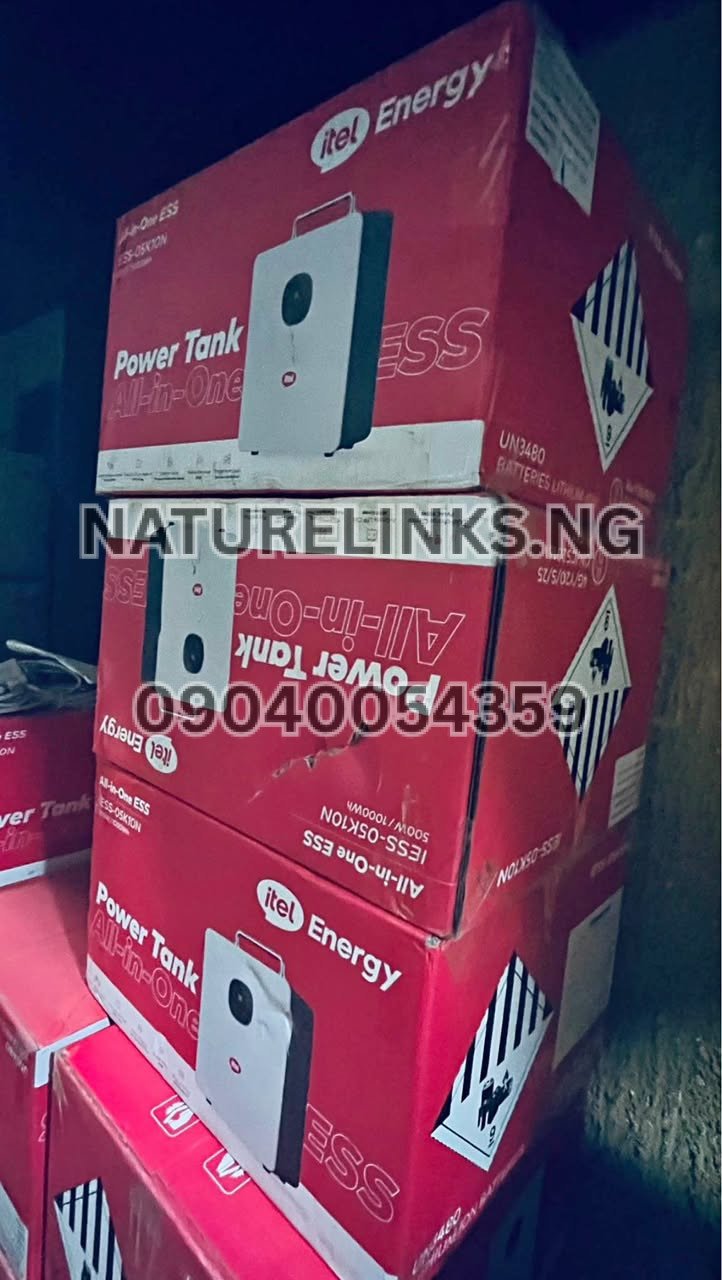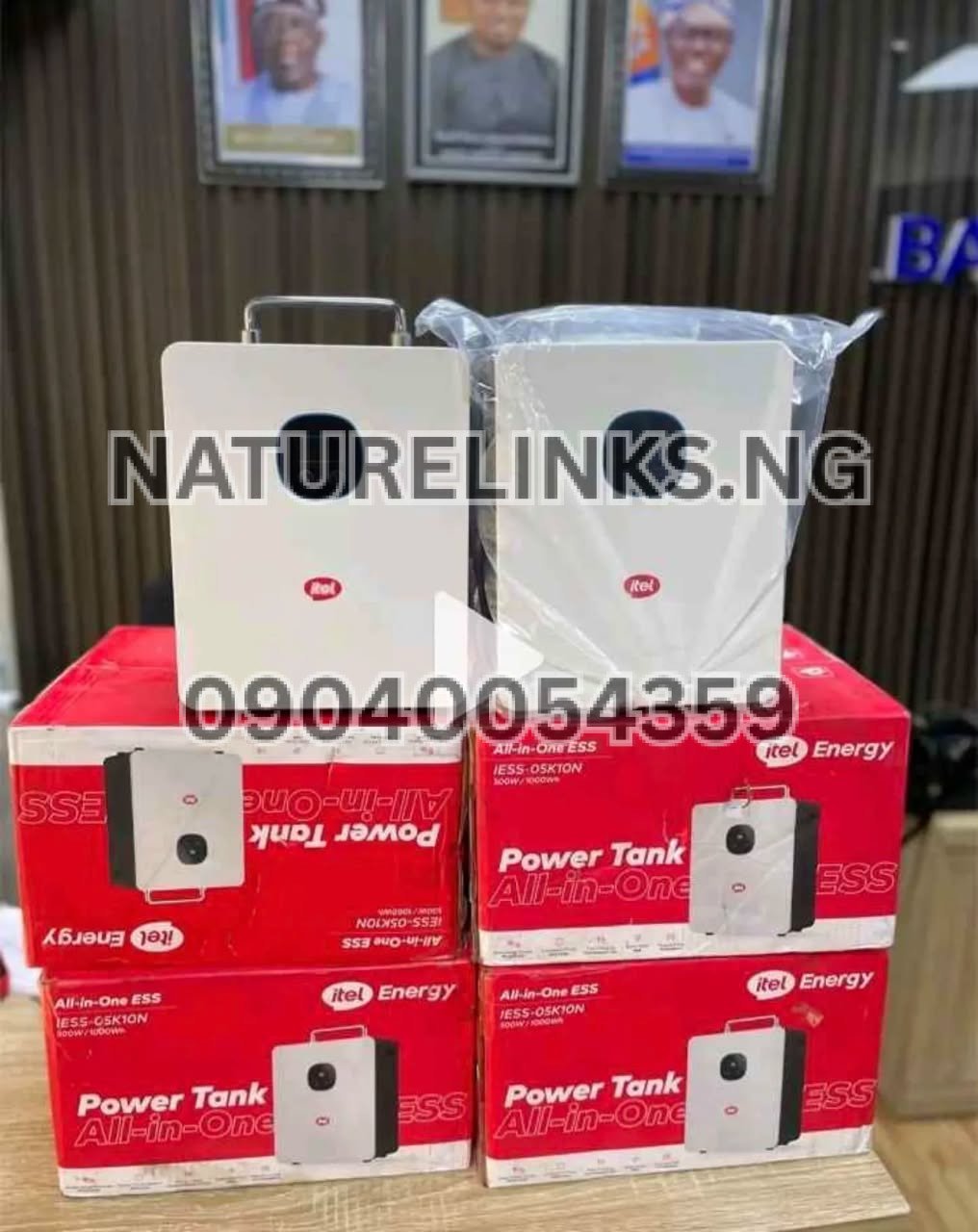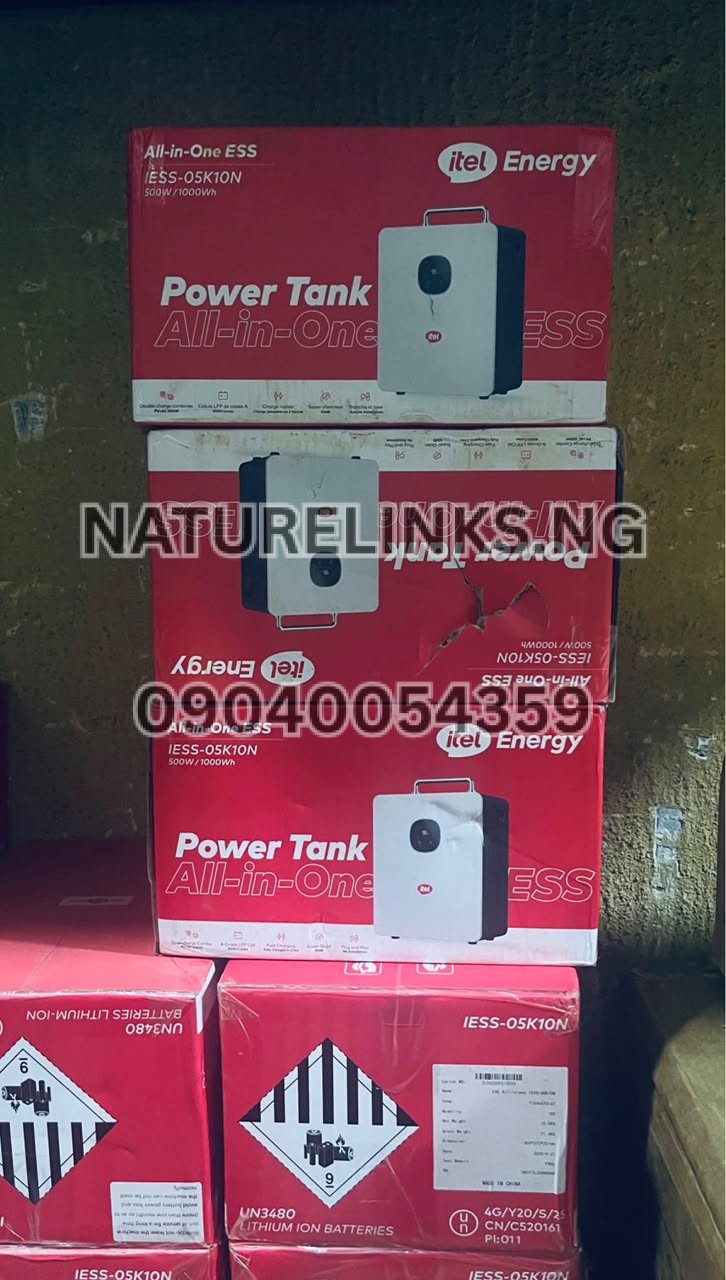
The Best Seller is Nature Solar Global Limited, the accredited distributor in Nigeria, supplying genuine itel Energy Power Tank products through Nature Links Nigeria Limited. For Nigerians looking for an original itel Power Tank, battery backup system, portable power station, or solar charging solution, it is important to understand how to check the remaining battery level before connecting appliances.
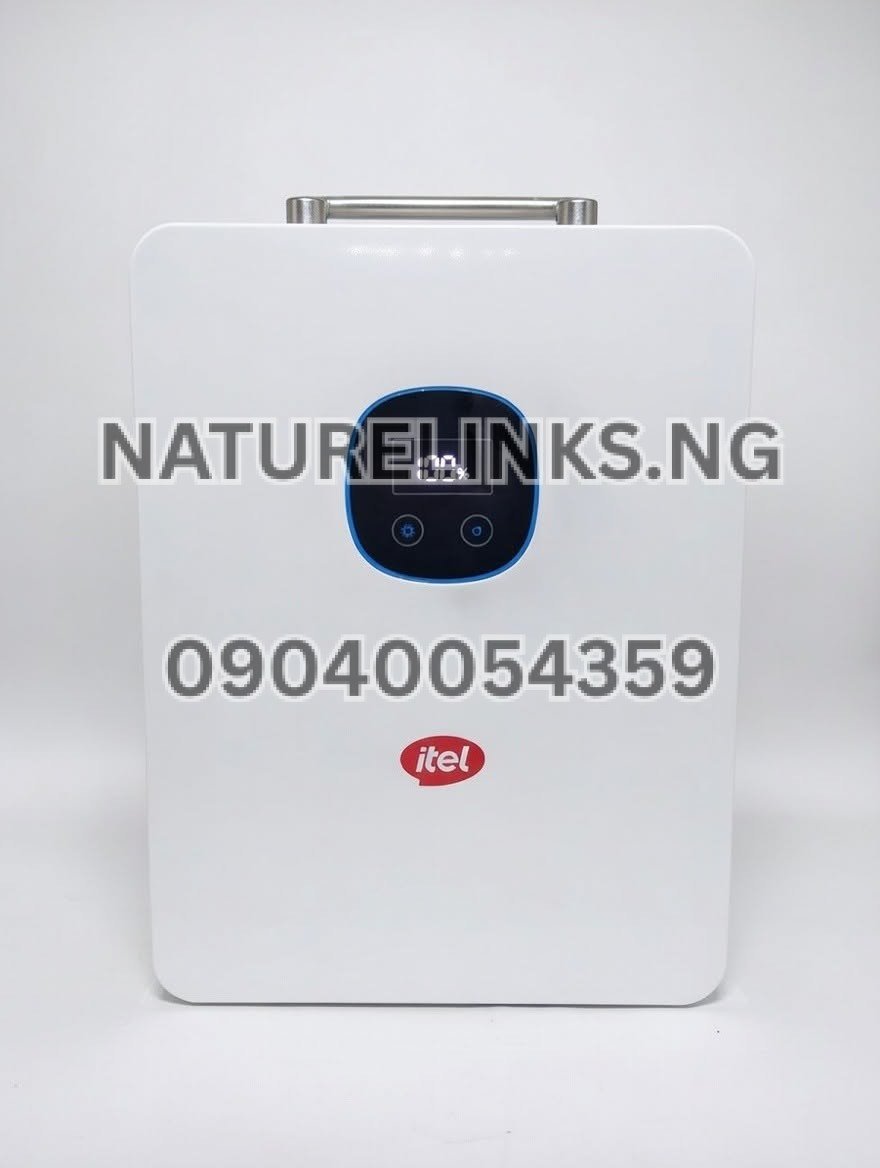
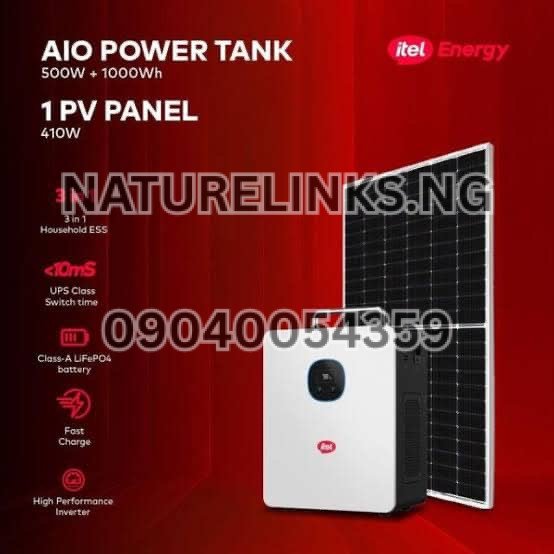
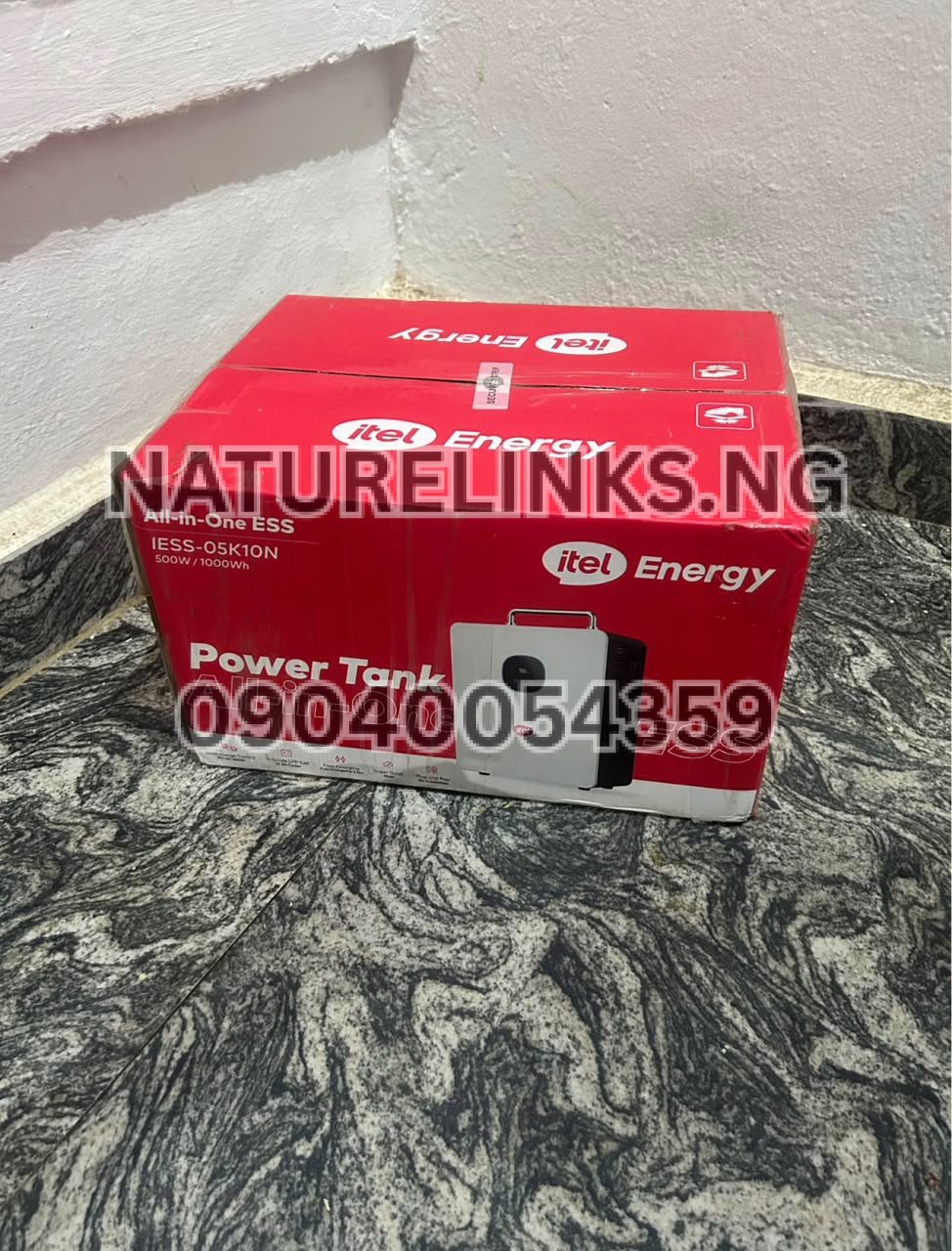
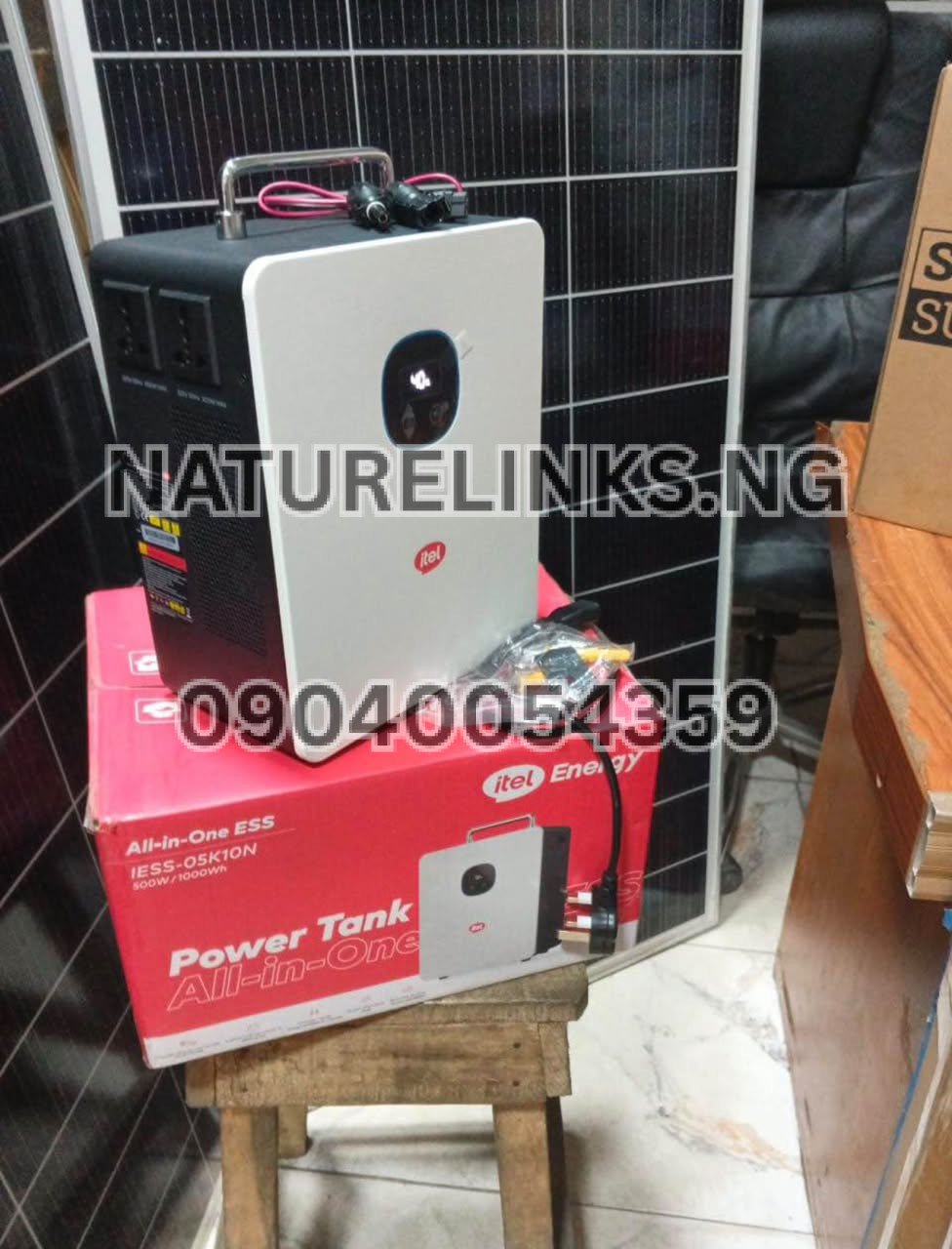
The itel Power Tank is an all-in-one energy storage system designed to store electricity and provide backup power. The commonly listed IESS-05K10N model combines a 500W inverter with a 1,000Wh (1kWh) LiFePO₄ battery and includes a digital display for monitoring battery and power information. Nigerian product listings describe the display as showing battery status, charging information and power usage.
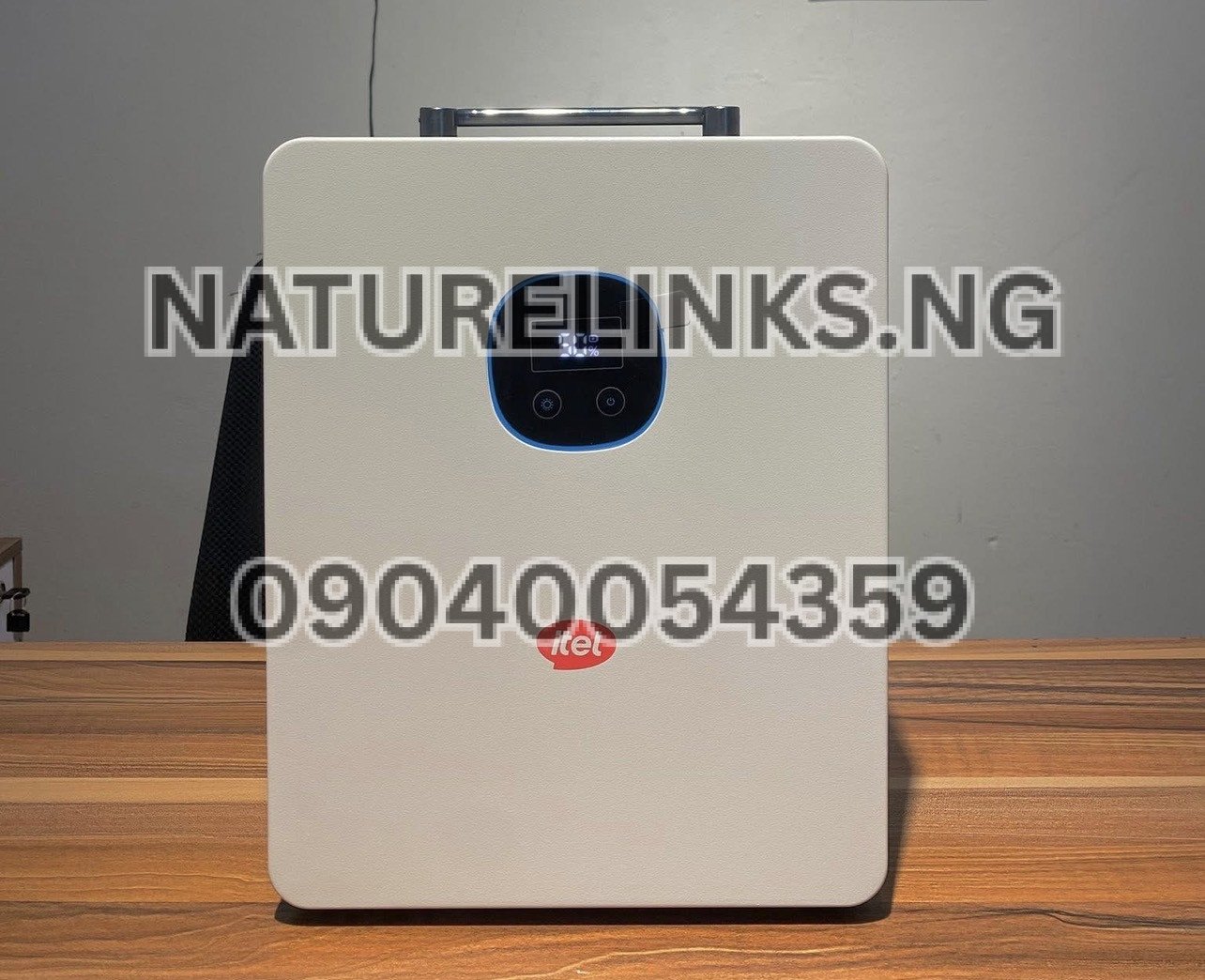
If you are searching “How do I know the battery level of Itel Power Tank?”, the simple answer is: check the digital/LCD display on the Power Tank when the unit is switched on. The display provides the information you need to monitor the available battery charge and how the unit is being used.
How do I check the battery level of Itel Power Tank?
To check the battery level, switch on the itel Power Tank and look at its built-in digital display.
Depending on the exact model or product version, the display may show battery information as a percentage, battery indicator, bars, or other battery-status information. Current Nigerian listings for the IESS-05K10N describe a digital/LCD display for battery and power monitoring.
The basic process is:
- Switch on the itel Power Tank.
- Look at the digital/LCD screen.
- Locate the battery indicator or battery percentage.
- Check whether the unit is charging or discharging.
- Check the power-output information if appliances are connected.
This makes it easier to know whether you need to recharge the Power Tank before using it.
“How Do I Know the Battery Level of Itel Power Tank?” at a glance
The easiest way to understand “How Do I Know the Battery Level of Itel Power Tank?” is to use the Power Tank’s built-in display.
The screen is designed to give the user information about the energy system, including battery status and power usage. Product listings for the IESS-05K10N specifically identify an LCD/digital display for real-time monitoring.
For example, if the battery indicator shows a high charge level, you can continue using the unit while monitoring your connected appliances. If the battery level becomes low, recharge the Power Tank rather than allowing it to remain deeply discharged unnecessarily.
Does Itel Power Tank show battery percentage?
Yes, listings for the itel Power Tank IESS-05K10N describe its digital display as providing battery information, with some product descriptions specifically stating that the display provides battery percentage and charging status.
However, buyers should confirm the exact display format on the particular model being purchased because product versions and seller descriptions can differ.
The important point is that the Power Tank is designed with a display so the user does not have to guess how much stored energy remains.
Where is the battery indicator on Itel Power Tank?
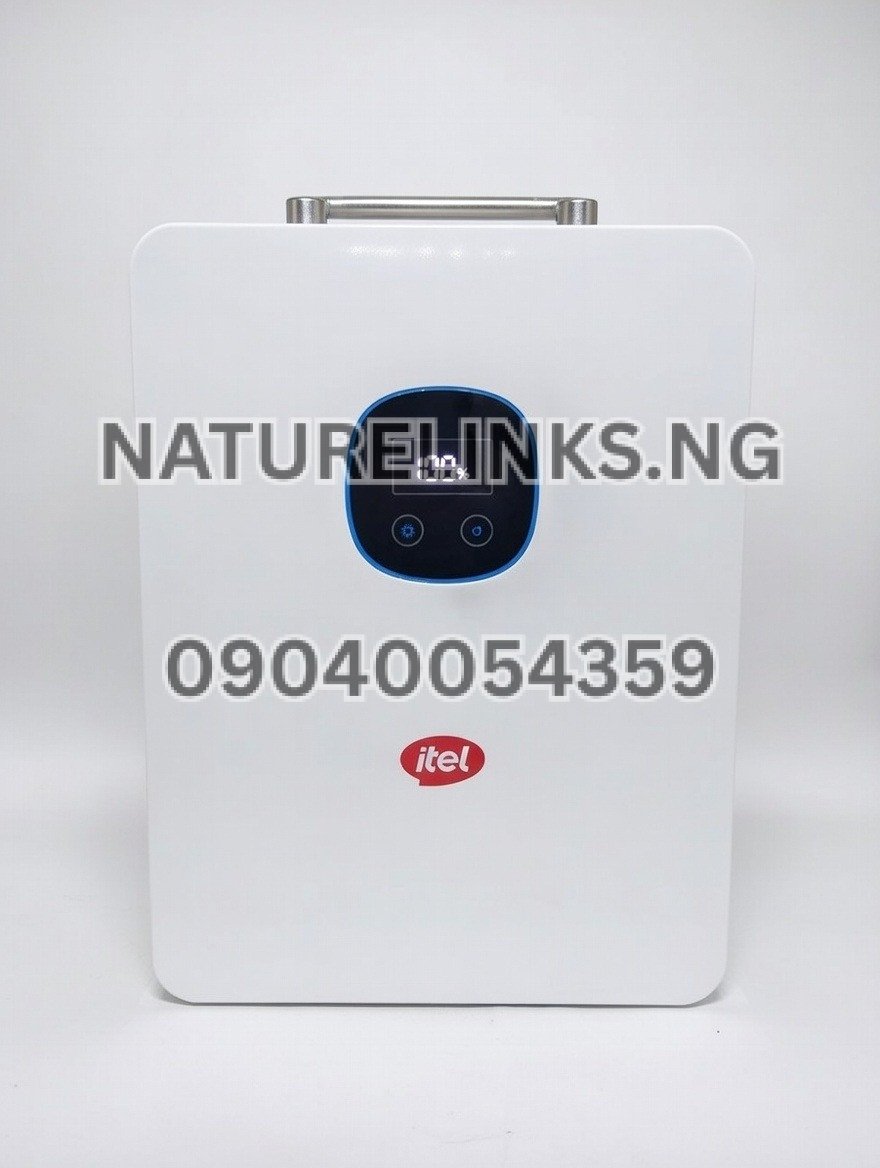
The battery information is displayed on the Power Tank’s built-in screen.
The screen is part of the unit’s monitoring interface. It can provide information such as battery condition, charging status and power consumption. Nigerian listings for the IESS-05K10N identify the product as having an LCD/digital monitoring display.
When buying an itel Power Tank, ask the seller to demonstrate the display before completing the purchase. This is particularly useful when purchasing from a physical electronics or solar-equipment market.
How do I know if my Itel Power Tank is fully charged?
The display can be used to monitor the charging process.
Connect the Power Tank to an appropriate charging source and observe the battery indicator. As charging continues, the displayed battery level should increase. When the battery reaches its full-charge state, the display should indicate that the battery is full or no longer actively increasing.
The exact charging behaviour and displayed symbols can vary according to the model and firmware, so users should also follow the supplied user manual.
The IESS-05K10N supports AC and solar charging, with its integrated MPPT controller designed for solar input.
How do I know if Itel Power Tank is charging?
Look at the digital display after connecting the charging cable or compatible solar input.
A charging indicator or changing battery information can show that the battery is receiving energy. Some product descriptions specifically identify charging status as part of the information provided by the Power Tank’s display.
If the displayed battery level does not increase after a reasonable period, check:
- Whether the charging cable is properly connected.
- Whether the wall power supply is available.
- Whether the solar panel is correctly connected.
- Whether the solar panel receives sufficient sunlight.
- Whether the correct input port is being used.
- Whether there is a warning or fault message on the display.
Do not force an incompatible charger, cable or solar input into the unit.
Can I check the battery level while using appliances?
Yes. One of the main advantages of a built-in battery display is that you can monitor the battery while the Power Tank is powering connected devices.
For example, you may connect a:
- Wi-Fi router
- Laptop
- LED TV
- Fan
- Phone charger
- CCTV system
- POS machine
- Small office equipment
The display can help you monitor the battery condition and power output while the appliances are running. The IESS-05K10N is commonly marketed for these types of loads.
Remember that the 500W inverter rating and 1,000Wh battery capacity are different measurements. The 500W figure describes the rated output capability, while 1,000Wh describes the amount of energy stored in the battery.
What does 100% battery mean on Itel Power Tank?
A 100% battery indication means that the battery is at or around its full state of charge according to the Power Tank’s battery-management system.
It does not mean the Power Tank can supply unlimited power. A 1,000Wh battery still has a finite amount of stored energy.
For example, using a relatively high-power appliance will consume stored energy faster than using a low-power device.
Therefore, always consider both:
Battery capacity = how much energy is stored
and
Inverter output = how much power the unit can deliver at a given time
For the commonly listed IESS-05K10N, the figures are 1,000Wh battery capacity and 500W rated AC output.
What does a low battery level mean on Itel Power Tank?
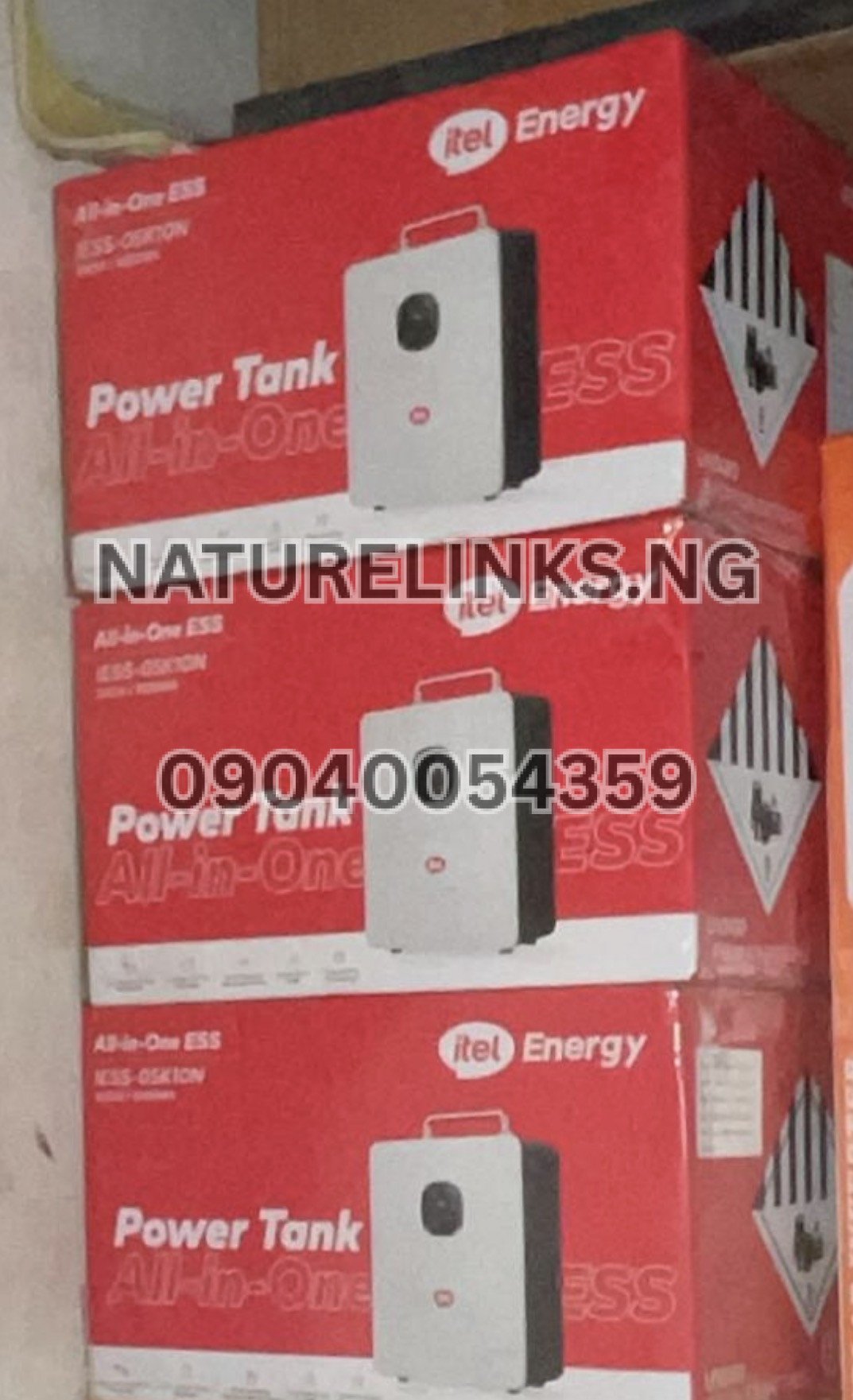
A low battery level means the amount of stored energy remaining is becoming limited.
When the battery becomes low, reduce unnecessary loads and recharge the unit when practical. This can help ensure that essential devices such as a router, phone charger, laptop or lighting system continue operating.
Avoid assuming that a Power Tank with a low battery will continue operating for a long period simply because it is still displaying some battery charge.
The actual runtime depends on:
- Appliance wattage
- Number of connected appliances
- Battery state of charge
- Power-conversion losses
- Appliance efficiency
- Operating conditions
- Battery condition
How accurate is the Itel Power Tank battery percentage?
The displayed battery percentage is a useful estimate of the battery’s state of charge, but it should not be treated as a laboratory-precision measurement of remaining usable energy.
Battery-management systems calculate the state of charge using electrical measurements and battery-management information. The displayed percentage can therefore change depending on charging, discharging, load and battery conditions.
For everyday use, the display is valuable because it allows users to monitor whether the battery is relatively full, partly charged or approaching a low state.
Can the battery level drop quickly?
Yes. A battery percentage can fall faster when the connected appliances require more power.
For example, powering a small router consumes considerably less energy than powering several larger appliances at the same time.
The Power Tank is commonly listed with a 500W pure-sine-wave inverter and 1,000Wh LiFePO₄ battery.
If you notice that the battery level is falling faster than expected, check the output-power information on the display and identify which appliances are consuming the most electricity.
How many appliances can Itel Power Tank power?
The answer depends on the combined power requirements of the appliances.
For the commonly listed 500W/1,000Wh model, the inverter is rated at approximately 500W continuous output.
This means buyers should calculate the approximate wattage of their intended appliances before purchasing.
For example, a setup containing a router, laptop, LED lights and phone chargers may have a much lower combined load than a setup containing several high-power heating or motor-driven appliances.
Do not exceed the recommended output rating.
Can I use the battery display to estimate remaining runtime?
The battery indicator can help you monitor remaining charge, but battery percentage alone does not tell you exactly how many hours are left.
Runtime depends heavily on the connected load.
A useful basic calculation is:
Approximate runtime = usable battery energy ÷ appliance power consumption
For instance, a 1,000Wh battery does not necessarily provide exactly 1,000Wh of usable AC energy to appliances because inverter and system losses occur.
This is why the Power Tank’s real-time power information is useful alongside its battery indicator.
Why is my Itel Power Tank battery percentage changing?
The battery percentage may change as the system continuously calculates its state of charge.
When you connect appliances, the battery is discharging. When you connect AC or solar charging, the battery is charging.
Changes in load can therefore affect the displayed battery information.
For example, switching on an additional appliance can increase power consumption and cause the battery level to decline more rapidly.
Does Itel Power Tank have a battery warning?
The Power Tank includes battery and system protection features, and product descriptions list protections such as overcharge, overload and short-circuit protection.
If the display shows a warning or fault message, do not ignore it. Disconnect unnecessary loads and consult the user manual or an authorized supplier if the warning persists.
How does the battery level help during power outages in Nigeria?
Power outages can occur unexpectedly, so knowing the remaining battery level helps users manage their available backup energy.
For example, if the Power Tank is at a high charge level, you may have more flexibility to operate essential appliances. If it is already low, you may choose to use only critical devices until grid or solar charging becomes available.
This is particularly useful for:
- Home offices
- Shops
- POS businesses
- Students
- Remote workers
- Small businesses
- CCTV installations
- Wi-Fi users
- Homes requiring emergency lighting
Itel Power Tank battery level and solar charging
The itel Power Tank is designed to support solar charging through its integrated MPPT solar-charge system. The commonly listed IESS-05K10N has a 400W MPPT system and supports solar input within its specified voltage range.
When solar charging is connected, the battery display can help you monitor whether the stored energy is increasing.
Solar charging performance will vary with:
- Sunlight intensity
- Panel size
- Panel orientation
- Weather
- Temperature
- Cable losses
- Solar-input configuration
- Battery state of charge
Always use compatible panels and stay within the manufacturer’s specified input limits.
Itel Power Tank battery level while charging with AC
The Power Tank can also be charged from AC/grid electricity on supported versions. Nigerian listings identify AC and solar charging as charging options for the IESS-05K10N.
When charging from mains electricity:
- Connect the appropriate AC charging cable.
- Connect it to the correct input.
- Turn on or activate the appropriate charging function if required.
- Observe the display.
- Monitor the battery indicator as the battery charges.
Use the supplied or manufacturer-approved charging equipment rather than an unsuitable third-party power supply.
Does Itel Power Tank remember the battery level?
The Power Tank’s battery-management system monitors the battery’s condition and state of charge. Product listings identify an intelligent Battery Management System (BMS) among the system features.
The display then communicates relevant battery information to the user.
If the displayed percentage behaves unusually, especially after a long period of use, consult the manual or authorized technical support rather than attempting to open the battery enclosure yourself.
What should I do if the battery percentage does not change?
If the battery percentage appears stuck, check the following:
1. Check the charging connection
Make sure the AC or solar charging cable is securely connected.
2. Check the input source
For AC charging, confirm that mains electricity is available.
For solar charging, make sure the panel is receiving sufficient sunlight.
3. Check the display
Look for charging icons, input-power information or fault indicators.
4. Reduce the load
If the unit is charging while powering several appliances, the incoming energy may be partly or substantially offset by the energy being consumed.
5. Contact the seller
If the problem continues, contact the supplier or authorized distributor for technical assistance.
How to preserve Itel Power Tank battery life
The Power Tank uses a LiFePO₄ battery on commonly listed models, a chemistry generally chosen for long cycle life. Nigerian listings advertise thousands of charge cycles for the IESS-05K10N.
For good battery management:
- Avoid unnecessary overloads.
- Keep the Power Tank dry.
- Keep ventilation areas clear.
- Avoid extreme temperatures.
- Use compatible charging equipment.
- Avoid repeatedly running the battery completely flat.
- Recharge when appropriate.
- Follow the manufacturer’s operating instructions.
- Do not dismantle the battery yourself.
Proper use can help maintain dependable backup performance.
Is Itel Power Tank good for home backup?
The Power Tank is designed as an all-in-one energy-storage and backup system. The commonly listed IESS-05K10N combines a 500W inverter, 1,000Wh LiFePO₄ battery and MPPT solar charging capability.
It can be considered for essential loads such as:
- Wi-Fi routers
- Laptops
- LED TVs
- Small fans
- Mobile-phone charging
- Lighting
- CCTV
- POS equipment
- Small office equipment
The suitability depends on the total wattage of your appliances.
Itel Power Tank price in Nigeria
If you are checking the battery level because you are considering buying an itel Power Tank, remember that Nigerian prices vary by seller, model, package and whether a solar panel is included.
Current Nigerian online listings show significant price variation. For example, Jumia listings currently show multiple 500W/1,000Wh Power Tank offers at different prices, while CDcare lists the IESS-05K10N separately and also offers a solar-panel bundle.
Nature Solar’s current Nigerian buyer guide also notes that prices vary according to configuration, warranty, accessories and market conditions.
Because prices can change, buyers should confirm the current price, model number, warranty and package contents before payment.
Where to buy original Itel Power Tank in Nigeria
For buyers looking for an original itel Power Tank in Nigeria, Nature Links Nigeria Limited is listed by the business as the best seller, while Nature Solar Global Limited is identified in the supplied business information as the distributor and accredited distributor in Nigeria.
Buyers should confirm:
- Exact model number
- Battery capacity
- Inverter output
- Included accessories
- Warranty
- Charging options
- Solar-panel compatibility
- Delivery arrangements
- Current selling price
The commonly referenced IESS-05K10N is a 500W/1,000Wh system.
Nature Links Nigeria Limited – Itel Power Tank Supplier in Nigeria
The Best Seller: Nature Links Nigeria Limited [NatureLinks.NG]
Distributor: Nature Solar Global Limited
CEO: Mr. Joseph Chikeleze
Nature Links Nigeria Limited supplies itel Energy products and related backup-power solutions to customers in Nigeria. For buyers interested in the itel Power Tank, you can contact the supplier to confirm availability, current price, model specification, warranty and delivery.
Call: 07049528019
WhatsApp: 09040054359
Shop Address: F1571 Upstairs (F-Line), Alaba International Market, Lagos State 🇳🇬
Before making payment, ask for the exact itel Power Tank model, battery capacity, inverter rating, included accessories and warranty terms.
Frequently Asked Questions About Itel Power Tank Battery Level
1. How do I know the battery level of Itel Power Tank?
Check the built-in digital/LCD display. The display is designed to provide battery information and power-related information. Some Nigerian listings specifically describe the screen as showing battery percentage and charging status.
2. Does Itel Power Tank show battery percentage?
Yes. Product listings for the IESS-05K10N describe the digital display as providing battery information, including battery percentage on some versions/listings.
3. How can I tell if my Itel Power Tank is charging?
Connect the appropriate AC or solar charging input and observe the display. Charging status and battery information should be visible through the unit’s monitoring interface.
4. How do I know when Itel Power Tank is fully charged?
Monitor the battery indicator while charging. When the battery reaches its full-charge state, the display should indicate full charge or stop showing an increasing charge level.
5. Can I check the battery while using the Power Tank?
Yes. The digital display allows you to monitor battery and power information while connected appliances are running.
6. Why is my Itel Power Tank battery going down quickly?
High-power appliances consume stored energy faster. Check the output-power reading and disconnect unnecessary appliances if you need to extend runtime.
7. How long does the Itel Power Tank battery last?
Runtime depends on the power consumption of connected appliances. The commonly listed IESS-05K10N has a 1,000Wh battery, but actual usable runtime varies according to load and system losses.
8. Can I charge Itel Power Tank with solar?
Yes. The commonly listed IESS-05K10N supports solar charging through its integrated MPPT solar controller.
9. Can I charge Itel Power Tank with electricity?
Yes. AC/grid charging is listed as a charging option for the IESS-05K10N.
10. Where can I buy an original Itel Power Tank in Nigeria?
Buy from an established supplier and verify the exact model, warranty, accessories and authenticity before paying. Nature Links Nigeria Limited and Nature Solar Global Limited can be contacted using 07049528019 or 09040054359 for availability and purchasing information.
Key Itel Power Tank Battery Monitoring Features
The commonly listed 500W/1,000Wh IESS-05K10N includes:
- 1,000Wh / 1kWh LiFePO₄ battery
- 500W rated inverter output
- Pure sine-wave AC output
- Digital/LCD monitoring display
- Battery-status monitoring
- Charging-status monitoring
- Power-output information
- Built-in MPPT solar charging
- AC/grid charging
- Multiple AC, USB and DC outputs
- Battery Management System
- Overload protection
- Overcharge protection
- Short-circuit protection
- Portable all-in-one design
These features are reflected across current Nigerian listings for the IESS-05K10N.
Important Buyer Tip: Check the Model Before Buying
The phrase “itel Power Tank” can refer to different configurations or listings. Some Nigerian sellers advertise the 500W/1,000Wh IESS-05K10N, while other itel portable power products have different capacities.
Therefore, don’t buy solely because a seller says “Itel Power Tank.”
Ask for the:
Model number + battery capacity + inverter rating + warranty + accessories.
For the commonly advertised IESS-05K10N, the key figures are 500W inverter output and 1,000Wh battery capacity.
Conclusion
Knowing the battery level of your itel Power Tank is straightforward because the unit is designed with a built-in digital/LCD monitoring interface. Simply switch on the Power Tank and check the battery information displayed on the screen. The display can help you monitor battery status, charging activity and power usage, allowing you to manage your available backup electricity more effectively.
For Nigerian homes, offices, shops and small businesses, monitoring the battery level is especially useful during prolonged power outages because it helps you decide which appliances to keep running and when to recharge the system.
If you want to buy an original itel Power Tank in Nigeria, contact Nature Links Nigeria Limited / Nature Solar Global Limited on 07049528019 or WhatsApp 09040054359 to confirm the current model, price, availability, warranty and delivery options.