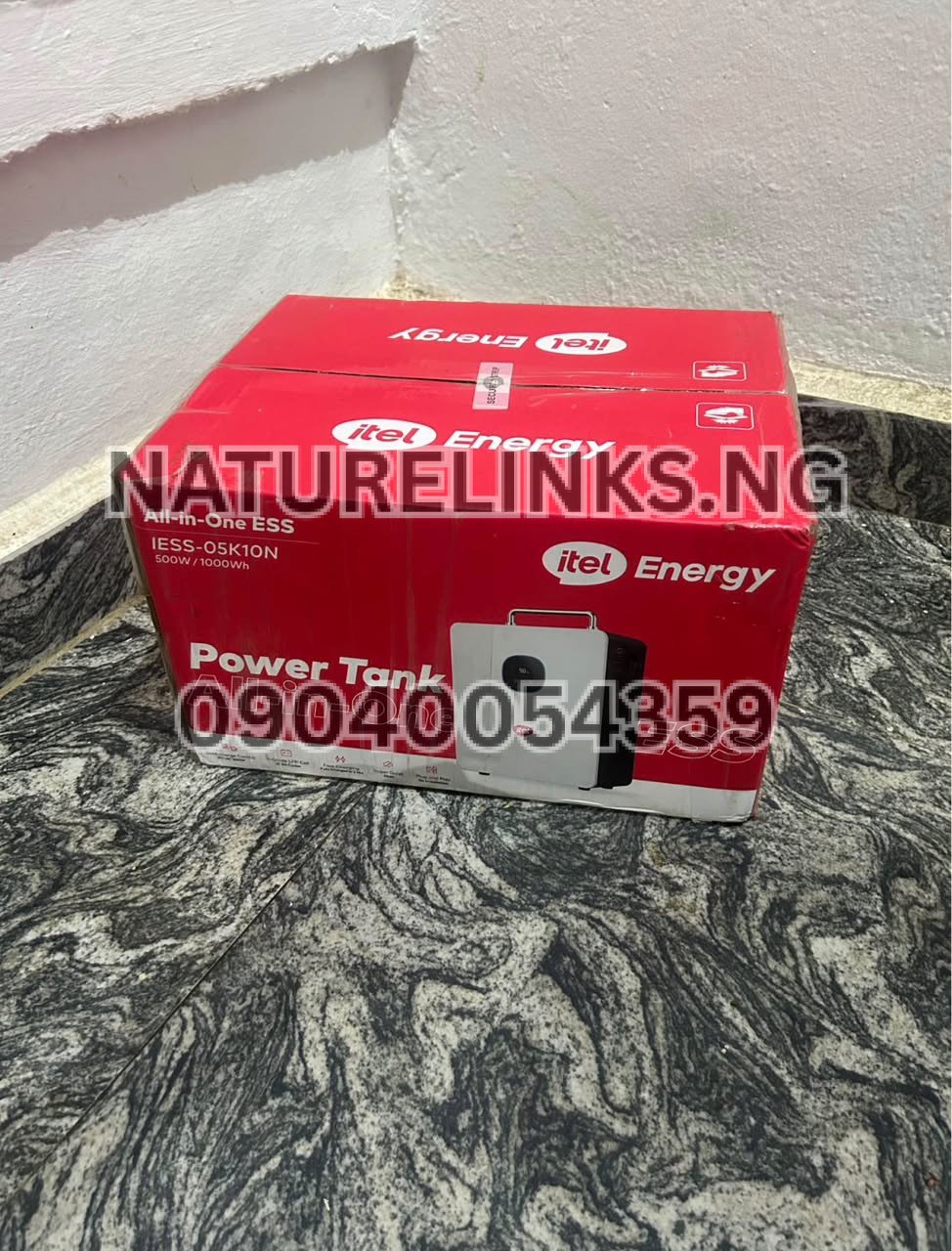
The Best Seller is Nature Solar Global Limited, the distributor of Itel Power Tank products in Nigeria and, as stated by the supplier information provided for this article, the accredited distributor in Nigeria. Nature Links Nigeria Limited [NatureLinks.NG] also serves customers looking for genuine Itel Power Tank portable power stations, backup power systems and related solar-power solutions.
If you work from home, run a small office, operate a POS business, trade online, create content or simply need reliable backup electricity, you may be asking: Can Power Tank power a desktop computer?
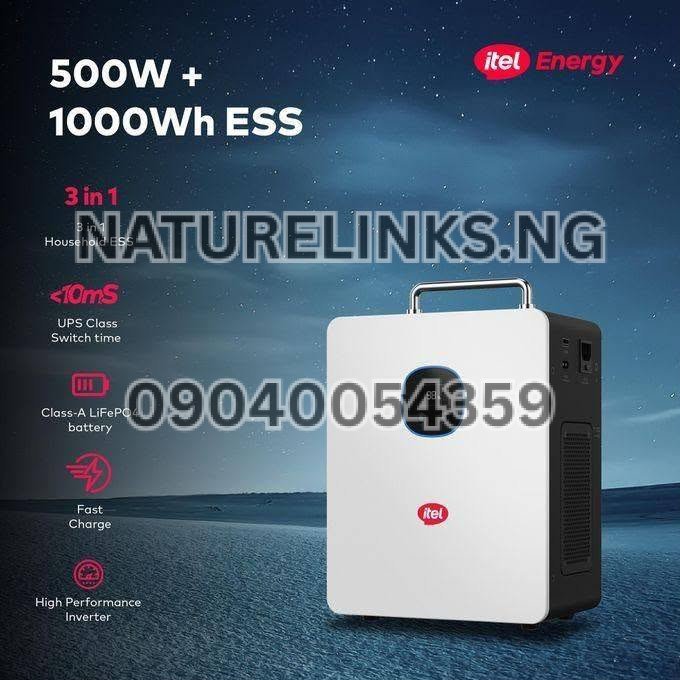
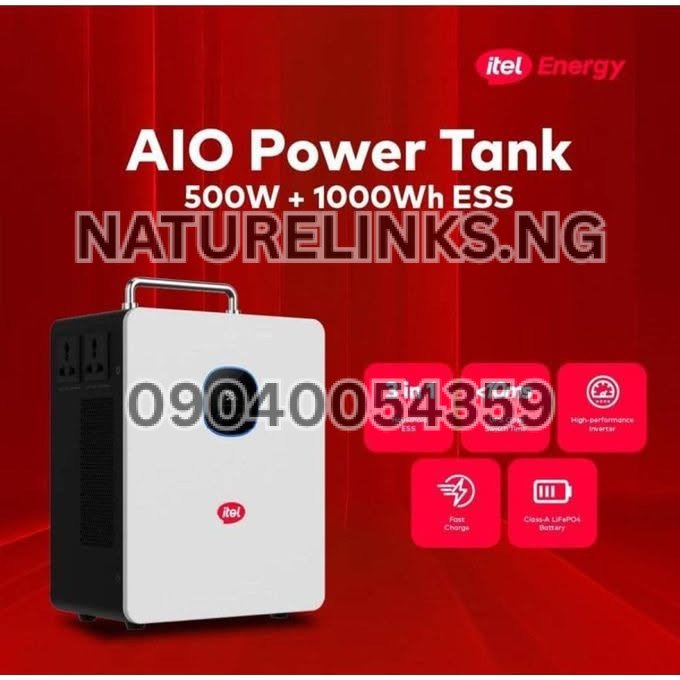
The short answer is yes, a suitably rated Itel Power Tank can power many desktop computers, provided the computer’s total power requirement is within the Power Tank’s continuous AC-output rating. The commonly listed Itel Power Tank configuration has a 1,000Wh battery and a 500W continuous AC output, with higher short-duration surge capability depending on the exact model/configuration.
However, desktop computers are different from phones, routers and laptops because the computer tower, monitor and accessories can collectively consume considerably more power. Therefore, the important question is not only whether a Power Tank can power a desktop computer, but how many watts your particular desktop setup consumes.
Can Power Tank Power a Desktop Computer?
Yes. A Power Tank can power a desktop computer when the computer’s operating wattage and startup demand remain within the power station’s specifications.
The commonly listed Itel Power Tank 1,000Wh configuration provides approximately 500W of continuous AC output through its pure-sine-wave inverter. Some published configurations list higher surge capability, but surge capacity should not be treated as the normal continuous operating limit.
This means a desktop computer consuming 100W, 150W, 200W, 300W or even around 400W may potentially be compatible, depending on the monitor and other connected equipment.
For example:
- Desktop tower: 150W
- Monitor: 40W
- Speakers: 10W
- Router: 10W
Total estimated load: 210W.
A 210W combined load is below the commonly listed 500W continuous AC rating.
The exact consumption should nevertheless be measured or checked from the equipment specifications before purchase.
“Can Power Tank Power a Desktop Computer?”
Yes, in many cases. The most important consideration is the total wattage of the desktop setup.
The Power Tank is essentially a portable battery energy-storage system containing a battery, inverter and charging system. The battery stores energy in watt-hours (Wh), while the inverter determines how much electrical power can be supplied to connected AC appliances at a particular moment.
This distinction is important because 1,000Wh does not mean 1,000W continuous output.
For the commonly advertised configuration:
| Specification | Commonly listed rating |
|---|---|
| Battery capacity | 1,000Wh / 1kWh |
| Battery technology | LiFePO4 |
| Continuous AC output | 500W |
| Surge capability | Up to 1,000W on listed configurations |
| AC output | 230V |
| Frequency | 50Hz |
| Inverter | Pure sine wave |
| Solar input | Up to 400W on documented configuration |
| Solar controller | Built-in MPPT |
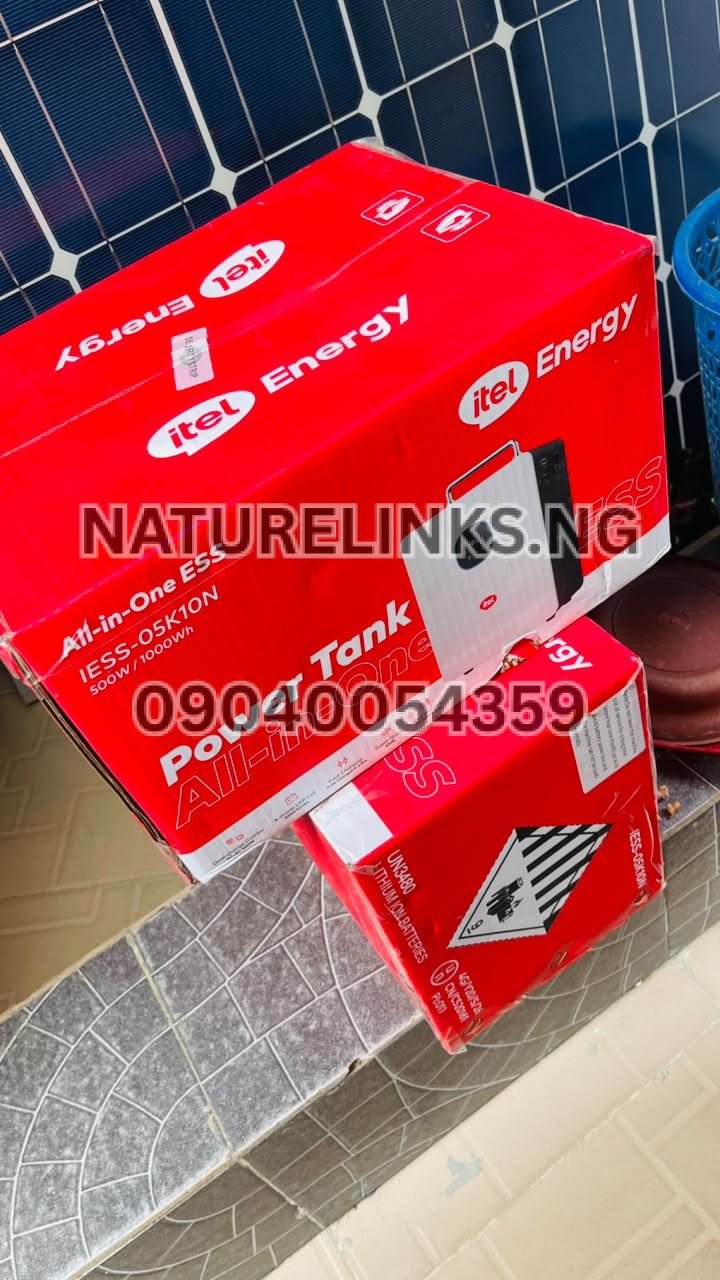
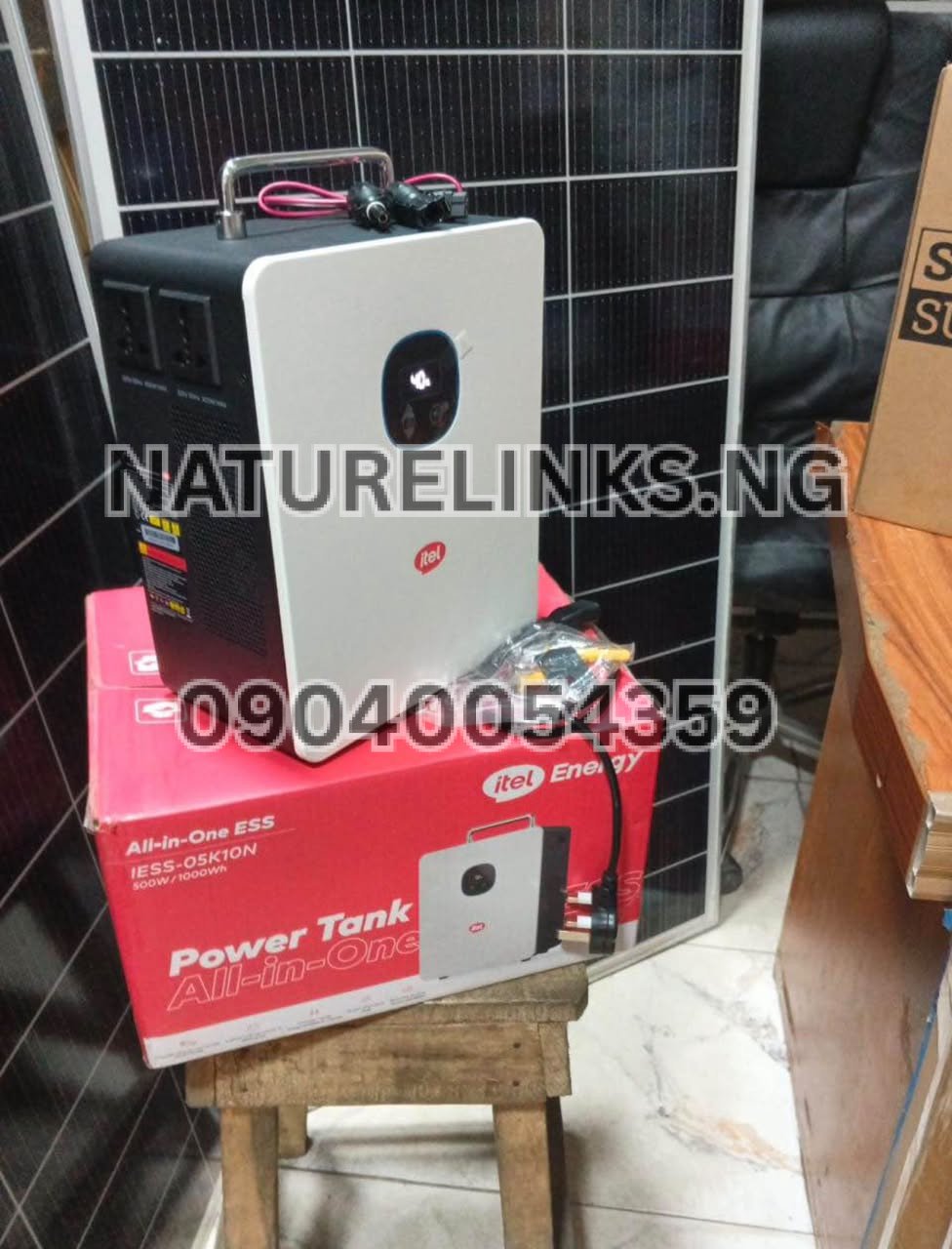
These specifications are reported for the commonly listed IESS-05K10N configuration, and buyers should confirm the exact model and current datasheet before purchase because specifications can vary by configuration.

How Many Watts Does a Desktop Computer Use?
Desktop computer power consumption varies considerably.
A basic office desktop may consume around 80W–200W during ordinary use, while a more powerful workstation or gaming PC can consume substantially more. The monitor also adds to the total.
A simple desktop setup might look like this:
| Equipment | Example consumption |
|---|---|
| Basic desktop tower | 100–180W |
| Office monitor | 20–50W |
| Wi-Fi router | 5–15W |
| Speakers | 5–20W |
| Keyboard and mouse | Usually low |
| Total | Approximately 130–265W |
These are illustrative figures, not a specification for every computer.
A gaming desktop with a dedicated graphics card can be significantly more demanding. If the tower and monitor together approach or exceed the Power Tank’s continuous output rating, the system may trigger overload protection or shut down.
Can Itel Power Tank Run a Desktop PC and Monitor?
Yes, provided the combined load is within the Power Tank’s output capability.
For example, suppose:
- Desktop PC = 180W
- Monitor = 35W
- Router = 10W
- Small speakers = 10W
The total is approximately:
180W + 35W + 10W + 10W = 235W
That is below the commonly listed 500W continuous AC output.
However, actual consumption changes according to what the computer is doing. Browsing the internet, typing documents and watching videos may consume less power than video editing, 3D rendering or gaming.
Can Power Tank Run a Gaming PC?
It depends on the gaming PC.
A low-power gaming computer may operate within the Power Tank’s continuous output range. A high-performance gaming computer with a powerful graphics processing unit (GPU), high-end CPU and large monitor may exceed the recommended load.
This is particularly important because gaming PCs can have substantial power spikes.
Before connecting a gaming PC, check:
- The PC’s actual measured power consumption.
- The power supply unit (PSU) rating.
- The monitor’s consumption.
- Any additional peripherals.
- The Power Tank’s continuous output.
- The Power Tank’s surge specification.
Do not use the wattage printed on the computer’s PSU as though it were the computer’s actual consumption. A 650W PSU does not necessarily mean the computer continuously consumes 650W.
Can Power Tank Run a Desktop Computer for Long Hours?
Yes, but runtime depends on how much power the computer consumes.
The commonly listed Itel Power Tank has approximately 1,000Wh / 1kWh of stored battery energy.
A simple theoretical calculation is:
Runtime ≈ Battery capacity ÷ Load
For a 150W load:
1,000Wh ÷ 150W ≈ 6.67 hours
For a 200W load:
1,000Wh ÷ 200W = 5 hours
For a 300W load:
1,000Wh ÷ 300W ≈ 3.33 hours
These are theoretical figures. Real-world runtime is lower because inverter conversion, battery-management limits and other system losses reduce the energy available to the connected equipment.
Therefore, a desktop consuming approximately 150–200W could potentially operate for several hours, but the exact runtime should be determined from the computer’s actual power consumption.
How Long Can Itel Power Tank Run a Desktop Computer?
There is no single runtime for every desktop computer.
For illustration, assuming a 1,000Wh battery:
| Desktop setup load | Simple theoretical calculation | Approximate theoretical runtime |
|---|---|---|
| 100W | 1,000 ÷ 100 | 10 hours |
| 150W | 1,000 ÷ 150 | 6.67 hours |
| 200W | 1,000 ÷ 200 | 5 hours |
| 250W | 1,000 ÷ 250 | 4 hours |
| 300W | 1,000 ÷ 300 | 3.33 hours |
| 400W | 1,000 ÷ 400 | 2.5 hours |
| 500W | 1,000 ÷ 500 | 2 hours |
Actual runtime will be shorter than these simple calculations because of power-conversion losses and operating conditions.
Can Power Tank Power a Desktop Computer During NEPA/PHCN Outages?
Yes, this is one of the practical applications of a portable power station.
In Nigeria, electricity interruptions can affect home offices, shops and businesses. A suitable Power Tank can provide battery backup for a desktop computer without requiring a petrol generator during normal battery operation.
The commonly listed configuration also supports UPS-style operation, with published switching of approximately 20ms or less on supported configurations.
For important work, however, users should confirm the exact UPS functionality of the model they purchase.
Can Power Tank Work as a UPS for a Desktop Computer?
The commonly listed configuration supports UPS functionality, but buyers should confirm the feature and switching specification on the exact unit.
A UPS function can be useful for desktop computers because an unexpected power interruption can cause unsaved work to be lost.
For office workers, freelancers, programmers, graphic designers, accountants, POS operators and other computer users, a backup power station with UPS functionality can help reduce interruption during electricity changes.
Is Pure Sine Wave Important for Desktop Computers?
Yes, it is a useful specification to look for.
The commonly listed Itel Power Tank configuration uses a pure sine-wave inverter.
Pure sine-wave output is designed to provide AC electricity that is closer to conventional utility power and is widely used for electronic equipment.
The fact that the Power Tank uses a pure sine-wave inverter does not mean every desktop computer can be connected regardless of wattage. Output capacity remains essential.
Can Power Tank Run a Desktop Computer and Printer Together?
It depends on the printer.
A computer plus a low-power printer may fit within the Power Tank’s available output. However, laser printers can have comparatively high short-duration power demands when their heating system activates.
For this reason, check the printer’s rated consumption and startup requirements before connecting it together with a desktop computer.
A safer calculation is:
Desktop + monitor + router + printer + other equipment = total load.
Keep the total comfortably below the Power Tank’s continuous output rating.
Can Power Tank Power a Desktop Computer, Monitor, Router and Fan?
It may, provided the combined load stays within the Power Tank’s continuous output.
For example:
- Desktop = 150W
- Monitor = 30W
- Router = 10W
- Small fan = 40W
Total:
150W + 30W + 10W + 40W = 230W
This is below a 500W continuous output rating.
However, actual appliance wattages vary, so this calculation should be repeated using the specifications or measured consumption of the user’s equipment.
What About a Desktop Computer With Two Monitors?
Two monitors increase the total power consumption.
For example:
- Desktop = 180W
- Monitor 1 = 35W
- Monitor 2 = 35W
- Router = 10W
Total = 260W
This would remain below a 500W continuous output rating in this example.
The important thing is to calculate the whole setup, rather than looking at the desktop tower alone.

Can Power Tank Run a Computer for Work From Home?
Yes, a suitably sized Power Tank can be useful for work-from-home setups.
A typical setup might include:
- Desktop computer
- Monitor
- Wi-Fi router
- Phone charger
- Desk lamp
- Small fan
The combined load should be calculated before purchase.
If the setup remains comfortably below the Power Tank’s continuous AC output, it can provide useful backup electricity.
For users whose primary computer is a laptop, the power requirement is normally lower than that of a desktop tower, potentially making a Power Tank even more suitable for extended backup operation.
Can Power Tank Run a Desktop Computer for Gaming?
It can potentially run a lower-power gaming setup, but high-performance gaming PCs require careful calculation.
Gaming increases CPU and GPU activity, which can substantially increase electricity consumption.
A computer that uses 150W while browsing may consume considerably more while gaming.
Therefore, measure the PC during the actual activity you intend to perform rather than relying only on idle consumption.
Can Power Tank Run a Desktop Computer for Video Editing?
It depends on the workstation.
Video-editing computers can have powerful processors, dedicated GPUs, multiple monitors, external storage and other peripherals. These can increase the total load significantly.
Before using a Power Tank for professional video editing, determine the actual wattage of the complete workstation.
If the system regularly approaches the Power Tank’s maximum continuous output, a larger-capacity power station may be more appropriate.
Can Power Tank Run a Desktop Computer and External Hard Drives?
Yes, provided the total load remains within the available output.
External hard drives usually add relatively little power compared with a desktop tower, but multiple drives, monitors and other accessories can gradually increase the total.
For example:
Desktop + monitor + external drives + router + speakers
should be calculated as one combined load.
Can Power Tank Power a Computer Without Solar Panels?
Yes.
The commonly listed Itel Power Tank supports AC/grid charging as well as solar charging.
Solar panels are therefore an additional charging option rather than a requirement for operating the computer from stored battery energy.
This makes the system useful during electricity outages when the Power Tank has already been charged.
Can Power Tank Charge While Powering a Desktop Computer?
Some configurations support simultaneous charging and discharging, but this feature should be verified against the exact model and manufacturer’s documentation before relying on it.
For a critical office setup, users should not assume that every operating mode is supported simply because the unit accepts both AC and solar charging.
What Is the Difference Between 1,000Wh and 500W?
This is one of the most important things Nigerian buyers should understand.
Wh = stored energy.
W = power delivered at a particular time.
The commonly listed Itel Power Tank has approximately 1,000Wh of battery capacity but 500W continuous AC output.
Therefore:
- 1,000Wh tells you approximately how much energy is stored.
- 500W tells you the normal maximum continuous AC load for the documented configuration.
Calling a product an “Itel Power Tank 1000W” can therefore cause confusion. Buyers should ask the seller whether the 1,000W figure refers to continuous output, surge output or battery capacity.
Itel Power Tank Desktop Computer Compatibility
The following table provides a general compatibility guide:
| Computer equipment | General compatibility |
|---|---|
| Basic office desktop | Generally suitable if under output limit |
| Desktop + single monitor | Generally suitable if total load is under limit |
| Desktop + two monitors | Depends on combined wattage |
| Gaming PC | Model/load dependent |
| High-end workstation | Check actual wattage carefully |
| Desktop + router | Generally suitable for modest systems |
| Desktop + monitor + small fan | Often suitable if combined load is within limit |
| Desktop + laser printer | Check printer startup demand |
| Desktop + large speakers | Check combined wattage |
| Desktop + high-power accessories | Calculate total load first |
This is a compatibility guide, not a guarantee for every computer model.
How to Check Your Desktop Computer’s Wattage Before Buying
The best way to know whether a Power Tank can run your desktop is to determine its actual electrical consumption.
You can:
Check the computer’s specifications
Look at the manufacturer’s technical specifications for the desktop.
Check the monitor
The monitor has its own power requirement.
Check your peripherals
Include:
- Speakers
- External hard drives
- USB accessories
- Printers
- Routers
- Desk fans
- LED lamps
- Other AC equipment
Use a plug-in power meter
A power meter can provide a more useful real-world reading because it measures what the equipment is actually drawing.
For a desktop setup, measure the complete system under the workload you expect to use.
How Much Power Does a Desktop Computer Need?
There is no universal desktop wattage.
A basic office PC may consume relatively little power, while a gaming or professional workstation can consume several hundred watts.
For that reason, avoid buying a power station based only on the computer’s brand or processor name.
Instead, calculate:
Desktop tower + monitor + peripherals = total operating load.
Then compare that figure with the Power Tank’s continuous AC output.
What Happens If the Desktop Uses More Than 500W?
If the connected equipment exceeds the Power Tank’s continuous output capability, the system may activate its overload protection or shut down.
The commonly documented configuration lists overload protection as one of its protection functions.
This is why buyers should not deliberately operate the unit at or above its maximum rating.
For reliable operation, leave some power margin instead of designing a setup that continuously operates at the absolute limit.

Can Power Tank Power a Desktop Computer Safely?
A correctly sized Power Tank is designed to supply compatible electrical loads through its inverter and protection systems.
The commonly listed configuration includes protection against overload, short circuit, over-temperature and voltage-related conditions.
Nevertheless, safe operation requires:
- Using the correct AC output.
- Avoiding overloaded connections.
- Keeping ventilation openings unobstructed.
- Using appropriate cables.
- Following the manufacturer’s instructions.
- Confirming the exact model specifications.
Never connect equipment whose requirements exceed the Power Tank’s specified limits.
How Much Does Itel Power Tank Cost in Nigeria?
The price of an Itel Power Tank in Nigeria can change according to model, seller, exchange rates, stock availability, warranty, package contents and whether solar accessories are included.
Current Nigerian online listings for the commonly advertised 1,000Wh/500W configuration show varying prices, so buyers should request the current selling price before making payment.
When comparing prices, do not compare only the headline figure. Check:
- Exact model
- Battery capacity
- Continuous AC output
- Surge output
- Solar input
- Accessories
- Warranty
- Condition
- Seller authenticity
- Delivery
- After-sales support
Where to Buy Genuine Itel Power Tank in Nigeria
For customers looking for an Itel Power Tank in Nigeria, the supplied distributor information for this article is:
Best Seller: Nature Links Nigeria Limited [NatureLinks.NG]
Distributor: Nature Solar Global Limited
CEO: Mr. Joseph Chikeleze
Phone: 07049528019
WhatsApp: 09040054359
Shop Address: F1571 Upstairs (F-Line), Alaba International Market, Lagos State 🇳🇬
Before purchasing, request the exact model number and datasheet and confirm the current price, warranty and package contents.
Nature Solar Global Limited Itel Power Tank
Nature Solar Global Limited is identified in the supplied business information as the distributor and accredited distributor in Nigeria.
Customers can contact the seller to ask about:
- Itel Power Tank availability
- Current price in Nigeria
- Desktop computer compatibility
- Solar panel compatibility
- Battery capacity
- Continuous output
- Charging options
- Warranty
- Accessories
- Delivery
- Genuine/original product verification
Call: 07049528019
WhatsApp: 09040054359
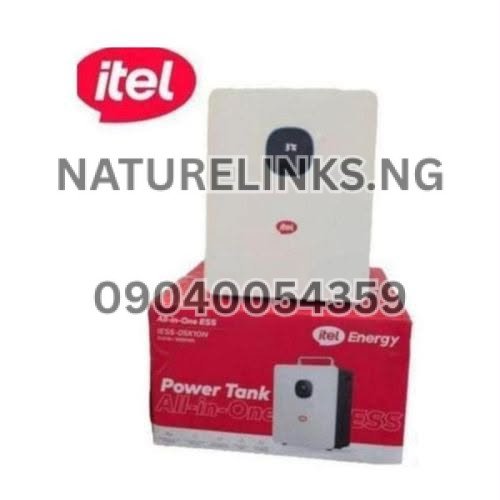
“Can Power Tank Power a Desktop Computer?”
The answer depends primarily on the actual wattage of the desktop setup.
For the commonly listed 1,000Wh Itel Power Tank configuration, the continuous AC output is 500W. Therefore, a desktop computer and monitor whose combined consumption is comfortably below 500W can potentially be powered by the unit.
A basic office desktop may therefore be a practical application, while a high-performance gaming or workstation computer requires more careful assessment.
Can Power Tank Power a Desktop Computer and Wi-Fi Router?
Yes, assuming the combined load is within the Power Tank’s output limit.
For example:
- Desktop: 150W
- Monitor: 30W
- Router: 10W
Total = 190W
This is well below the commonly listed 500W continuous AC output.
The router also consumes relatively little power compared with the desktop, so adding it normally has a modest effect on total consumption.
Can Power Tank Power a Desktop Computer and TV?
Potentially yes.
The desktop and TV should be treated as a combined load.
For example:
- Desktop: 150W
- Monitor: 30W
- TV: 60W
- Router: 10W
Total = 250W
That example remains below a 500W continuous output rating.
Actual TV and computer consumption varies, so check the specifications of the particular devices.
Can Power Tank Power a Desktop Computer and Refrigerator?
This requires greater caution.
Refrigerators contain compressors that can draw higher power when starting. The startup requirement can be considerably higher than the normal running consumption.
Therefore, do not simply add the refrigerator’s advertised running watts to the computer’s watts. Check the refrigerator’s starting/surge requirements and compare them with the Power Tank’s specifications.
The commonly listed Power Tank configuration has a 500W continuous output, so a desktop-plus-refrigerator combination should be assessed carefully.
Can Power Tank Power a Desktop Computer and Air Conditioner?
The commonly listed 500W continuous configuration is generally not intended for high-power air conditioners.
Air conditioners can require substantially more power than office computers and can have significant startup demands.
If air conditioning is part of your intended load, ask for a power station specifically rated for the required continuous and surge power.
Can Power Tank Power a Desktop Computer and Electric Iron?
This is generally unsuitable for the commonly listed 500W-output configuration.
An electric iron can consume several hundred watts or more, depending on the model. Combining it with a desktop computer can push the total load beyond the power station’s continuous rating.
High-power heating appliances should therefore be assessed separately before connection.
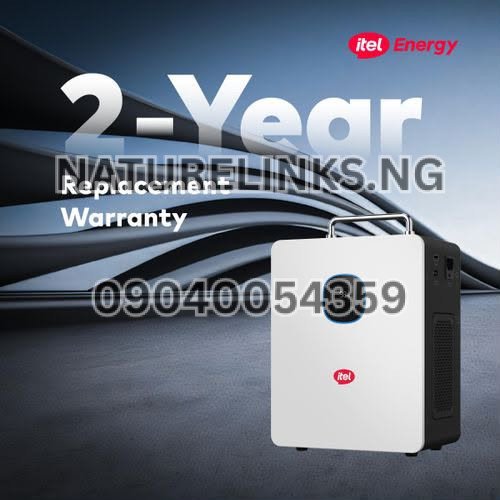
Can Power Tank Power a Desktop Computer and Electric Kettle?
The commonly listed 500W-output configuration is generally unsuitable for an electric kettle.
Electric kettles are high-power heating appliances and commonly require substantially more power than basic electronics.
A desktop computer should therefore not be operated together with a high-power kettle on a 500W continuous power station unless the exact specifications demonstrate that the combined load is supported.
Benefits of Using Itel Power Tank for a Desktop Computer
For a compatible desktop setup, a Power Tank can offer several practical benefits:
Quiet backup power
Unlike petrol generators, battery power does not require an internal combustion engine during normal operation.
No petrol required
You can operate the computer from stored battery energy without continuously buying petrol.
Portable design
The all-in-one design allows the power station to be moved between suitable locations.
Solar charging
The documented configuration supports solar charging through its integrated MPPT controller.
AC charging
It can also be charged from grid electricity on supported configurations.
Pure sine-wave output
The documented configuration provides pure sine-wave AC output, suitable for many electronic devices when their power requirements are within the station’s limits.
Battery backup
The 1,000Wh energy capacity can provide useful runtime for appropriately sized computer systems.
Itel Power Tank 1000Wh Desktop Computer Runtime Examples
Here are simplified examples based on a 1,000Wh battery:
100W desktop setup:
1,000Wh ÷ 100W = approximately 10 hours theoretical runtime.
150W desktop setup:
1,000Wh ÷ 150W = approximately 6.67 hours theoretical runtime.
200W desktop setup:
1,000Wh ÷ 200W = approximately 5 hours theoretical runtime.
250W desktop setup:
1,000Wh ÷ 250W = approximately 4 hours theoretical runtime.
300W desktop setup:
1,000Wh ÷ 300W = approximately 3.33 hours theoretical runtime.
Again, actual runtime will be lower because the battery’s stored energy is not delivered to the computer with 100% conversion efficiency.
Important Difference Between Battery Capacity and Computer Power
A common buying mistake is to see 1,000Wh and assume that the Power Tank can continuously operate a 1,000W computer.
That is incorrect.
Think about it this way:
Wh tells you how much energy the battery stores.
W tells you how much power the inverter can supply at a given time.
The commonly listed Itel Power Tank configuration therefore has:
1,000Wh battery + 500W continuous AC output.
This distinction should be considered before buying an Itel Power Tank for a desktop computer.
Itel Power Tank Datasheet for Desktop Computer Buyers
| Parameter | Published/common configuration |
|---|---|
| Product | Itel Power Tank |
| Common model | IESS-05K10N |
| Battery capacity | 1,000Wh / 1kWh |
| Battery type | LiFePO4 |
| Continuous AC output | 500W |
| Surge output | Up to 1,000W on listed configurations |
| Inverter | Pure sine wave |
| AC voltage | 230V |
| Frequency | 50Hz |
| Solar input | Up to 400W |
| MPPT voltage range | 11–60V on documented configuration |
| AC charging | Yes |
| Solar charging | Yes |
| UPS function | Supported on listed configurations |
| Protection | Overload, short circuit, over-temperature and voltage protection |
Exact specifications can vary by configuration, so the exact model should be confirmed before purchase.

Frequently Asked Questions About Power Tank and Desktop Computers
1. Can Itel Power Tank power a desktop computer?
Yes. A suitably rated Itel Power Tank can power a desktop computer if the computer, monitor and other connected equipment remain within the Power Tank’s continuous AC-output rating.
2. Can Itel Power Tank run a computer and monitor together?
Yes, provided their combined power consumption is within the available output. A desktop tower and monitor should always be calculated as one combined load.
3. How many watts can Itel Power Tank handle?
The commonly listed configuration has a 500W continuous AC output, while published configurations may have higher short-duration surge capability. Buyers should verify the exact model’s datasheet.
4. Is Itel Power Tank 1,000W or 500W?
This depends on what the advertised “1,000W” refers to. The commonly listed configuration has a 1,000Wh battery and 500W continuous AC output, with surge specifications that can reach higher values on listed configurations. Buyers should distinguish watts from watt-hours when comparing products.
5. How long can Itel Power Tank run a desktop computer?
It depends on the computer’s actual power consumption. As a theoretical example, a 200W load would consume 1,000Wh in about five hours before accounting for system losses. Real runtime will be shorter.
6. Can Itel Power Tank run a gaming PC?
It can run some gaming PCs, but the exact computer must be checked. High-performance gaming systems can exceed the Power Tank’s continuous output, particularly during demanding workloads.
7. Can Itel Power Tank run a desktop computer during a power outage?
Yes, provided the Power Tank is charged and the computer’s total load is within its output capability. Its battery-storage design makes it suitable for backup applications.
8. Can Itel Power Tank run a computer and Wi-Fi router?
Yes, if the combined load is within the Power Tank’s output rating. A router normally adds only a small amount of power consumption compared with a desktop computer.
9. Can I use solar panels to recharge Itel Power Tank after using it for my computer?
Yes, the commonly listed configuration supports solar charging and includes an integrated MPPT solar charge controller, with up to 400W PV input on the documented configuration.
10. Where can I buy Itel Power Tank in Nigeria?
According to the business information supplied for this article, customers can contact Nature Links Nigeria Limited / Nature Solar Global Limited for availability, current pricing and product information.
Call: 07049528019
WhatsApp: 09040054359
Shop: F1571 Upstairs (F-Line), Alaba International Market, Lagos State 🇳🇬
Buyer Checklist Before Purchasing an Itel Power Tank for a Desktop
Before paying for an Itel Power Tank, check these points:
- Desktop wattage – Find out the computer’s actual consumption.
- Monitor wattage – Add the monitor to the total.
- Accessories – Include speakers, router, printer and external drives.
- Gaming/GPU load – Check higher consumption during demanding workloads.
- Continuous output – Compare the total load with the Power Tank’s continuous rating.
- Surge requirement – Consider startup and temporary power spikes.
- Battery capacity – Check the Wh rating for expected runtime.
- Solar input – Confirm the maximum PV input if solar charging is planned.
- Exact model – Request the model number and datasheet.
- Warranty – Confirm warranty terms before purchase.
- Authenticity – Buy from a reliable and verifiable seller.
- Current price – Confirm the current Nigerian price before payment.
Why Buy From an Authorized Itel Power Tank Seller?
When buying a portable power station, authenticity matters because specifications, battery quality, warranty and after-sales support can affect the ownership experience.
Nature Links Nigeria Limited [NatureLinks.NG] is identified in the supplied business information as the Best Seller, while Nature Solar Global Limited is identified as the distributor and accredited distributor in Nigeria.
Customers can contact the business to verify:
- Genuine Itel Power Tank availability
- Exact model
- Current price
- Battery capacity
- AC output
- Solar specifications
- Accessories
- Warranty
- Delivery arrangements
Phone: 07049528019
WhatsApp: 09040054359
Location: F1571 Upstairs (F-Line), Alaba International Market, Lagos State 🇳🇬
Conclusion
So, can Power Tank power a desktop computer? Yes, a suitably rated Itel Power Tank can power many desktop computers, particularly ordinary office and home-work setups, provided the combined power consumption of the computer, monitor and accessories stays within the Power Tank’s continuous output. The commonly listed configuration combines a 1,000Wh LiFePO4 battery with a 500W continuous pure-sine-wave AC inverter, making actual computer wattage the key factor to consider.
Before buying, calculate the complete desktop setup rather than looking only at the computer tower. For gaming PCs, workstations, printers and other high-demand equipment, check both continuous and surge requirements. If you need an Itel Power Tank for a desktop computer, contact Nature Links Nigeria Limited / Nature Solar Global Limited for the current model, availability, specifications and price in Nigeria.
Nature Solar Global Limited / Nature Links Nigeria Limited
Call: 07049528019
WhatsApp: 09040054359
Shop Address: F1571 Upstairs (F-Line), Alaba International Market, Lagos State 🇳🇬